CodeHero PRO — User Guide
Complete guide to using the CodeHero platform for AI-powered software development.
1. Login & Dashboard
Login
Open your browser and navigate to https://YOUR_IP:9453. You'll see the login page.
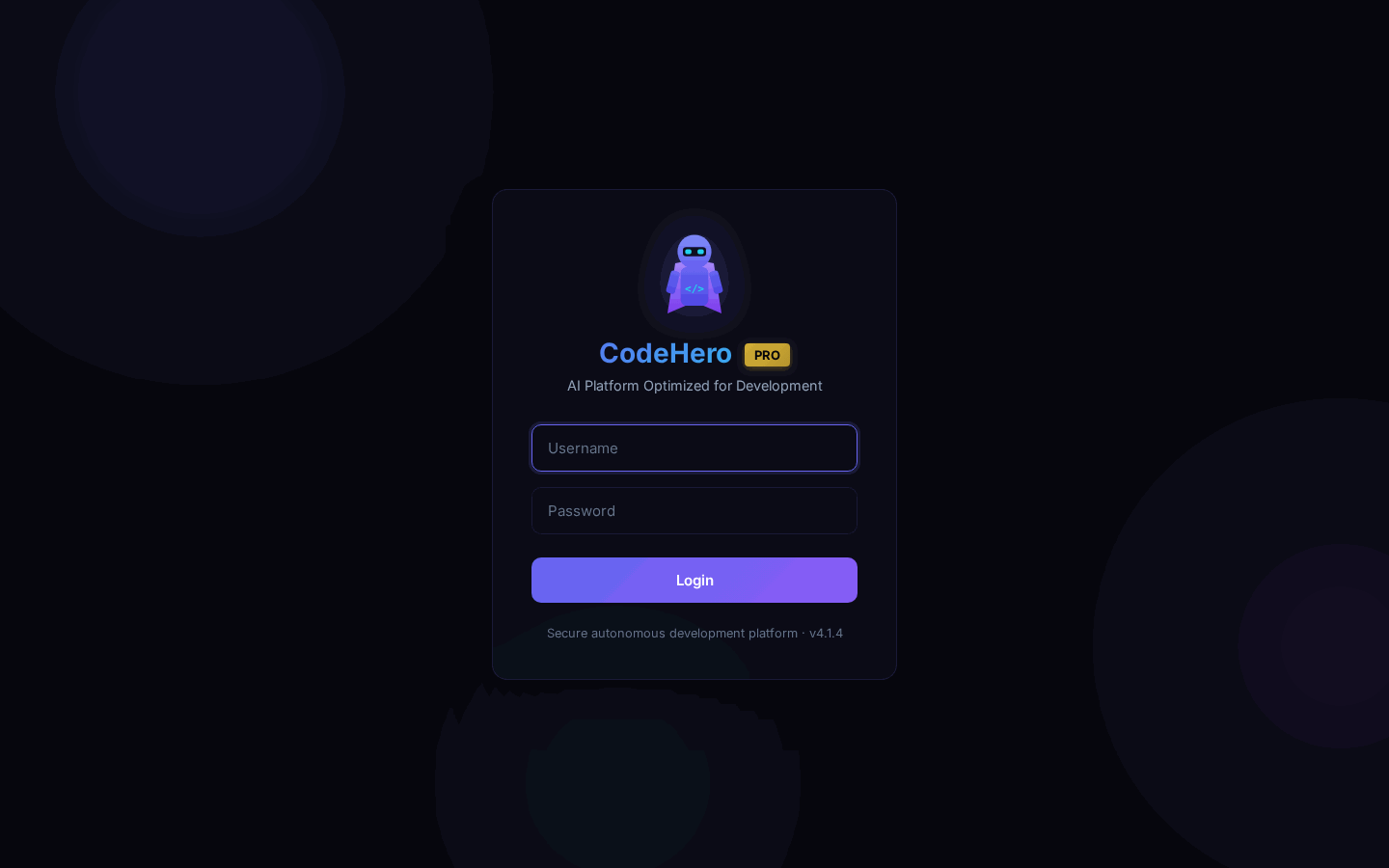
Default credentials:
- Username:
admin - Password:
admin123
sudo /opt/codehero/scripts/change-passwords.shTwo-Factor Authentication (2FA): If enabled in settings, you'll be prompted for a 6-digit code from Google Authenticator. Use "Remember this device" to skip 2FA on trusted devices until end of month.
Account Lockout: After 5 failed login attempts, the account is locked for 15 minutes.
Dashboard
The Dashboard is your main control center showing real-time system status.
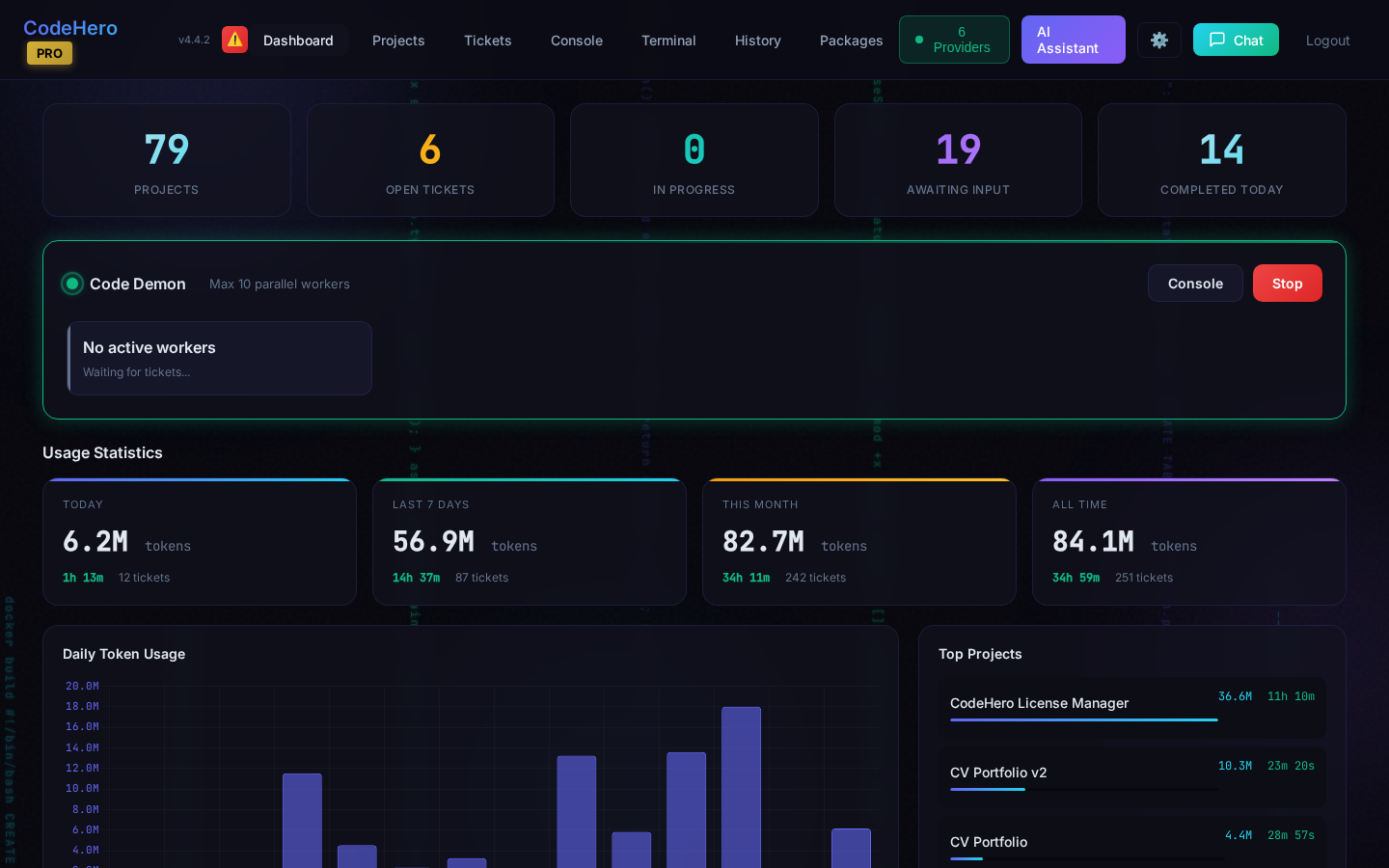
Dashboard elements:
- System Status — Whether the daemon service is running
- Quick Stats — Active projects, open tickets, sessions today, total tokens
- Recent Activity — Latest ticket updates and completions
- Token Usage — Daily/weekly/monthly token consumption charts
- Update Badge — Green badge appears when a new version is available
Logs page
Logs (top menu) opens the server's logs side by side — CodeHero, the web stack, the system, the containers. Since v4.55.0 four cards at the top show this server now: CPU (busy now, the load average, the cores), Memory (used of total, swap), Disk used and Free space (each disk that holds CodeHero). They refresh every 5 seconds while the page is open; on a phone they sit 2 × 2.
2. Creating Projects
Projects Page
The Projects page shows all your development projects in a card grid layout.
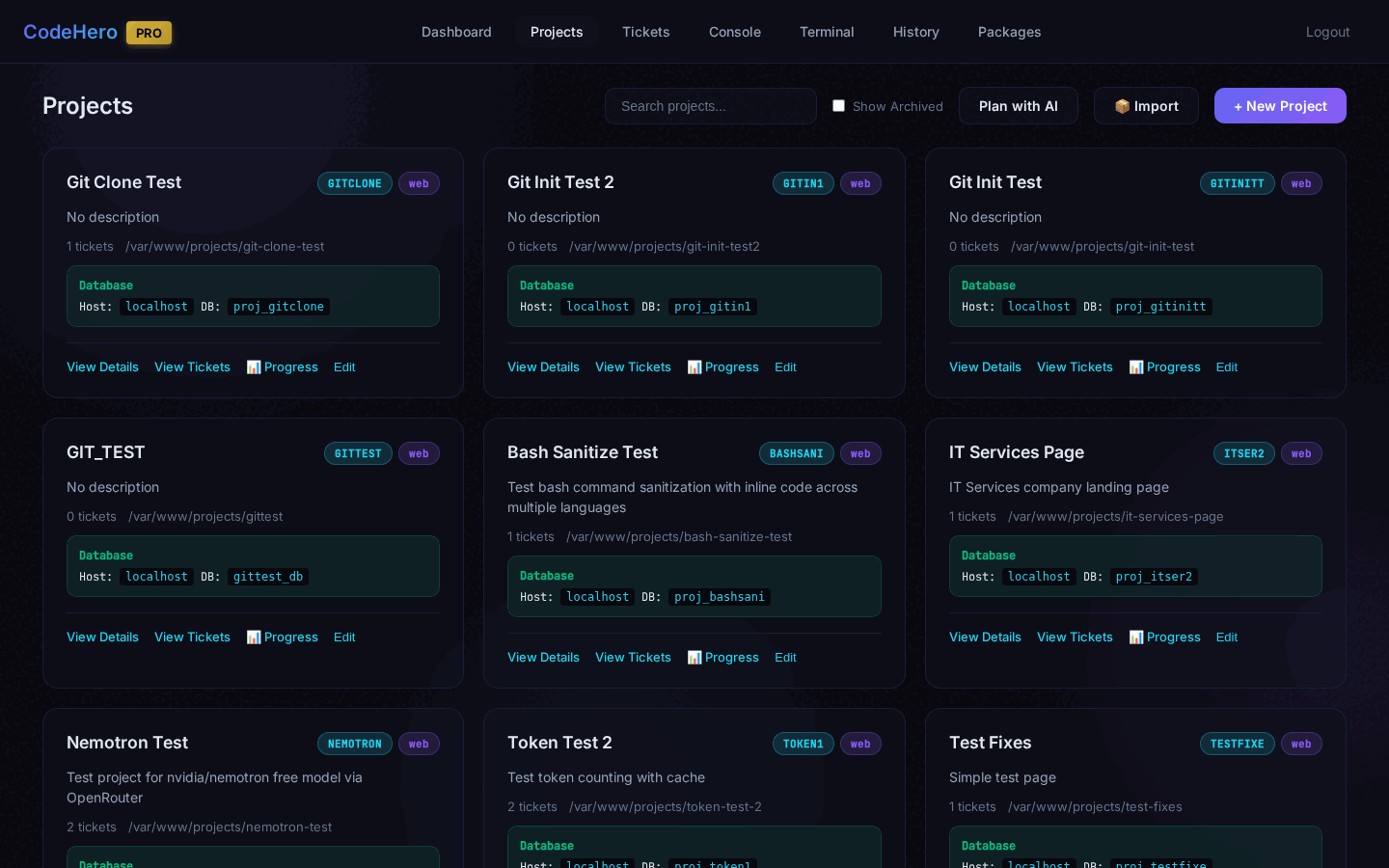
Each project card displays: project name, type, description, working directory path, open ticket count, provider/model, and quick action buttons.
Create New Project
Click "+ New Project" to open the creation modal.
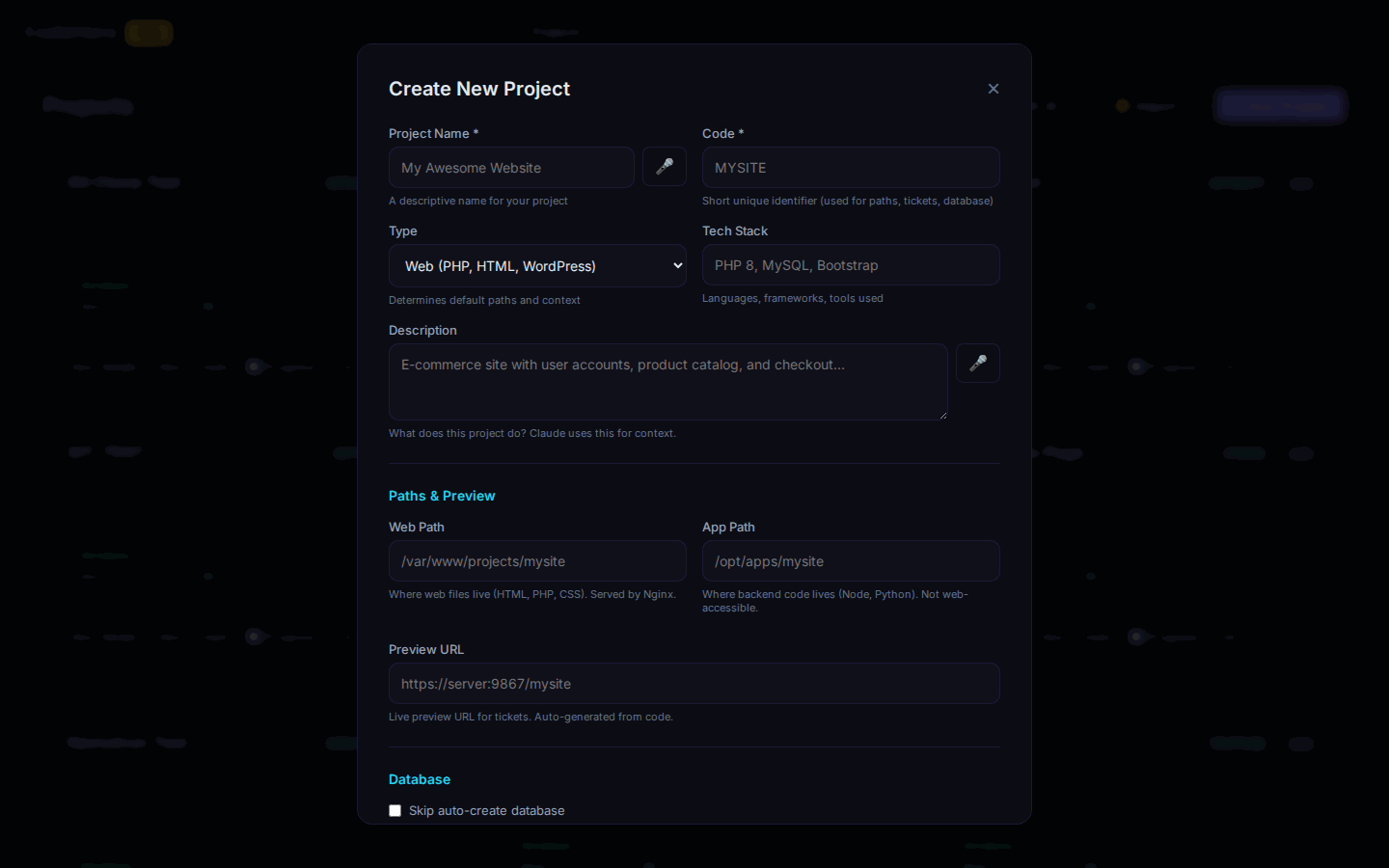
| Field | Required | Description |
|---|---|---|
| Name | Yes | Descriptive project name |
| Code | Yes | Letters and digits, up to 15 (v4.55.0+; 10 before) — names the tickets (CODE-0001), the folders, the backups. Never used twice: not one another project has, nor one that still holds the backups of a deleted project |
| Project Type | Yes | web, app, api, cli, library |
| Tech Stack | Yes | php, node, react, python, java, etc. |
| Description | Yes | Brief description of the project |
| Web/App Path | No | Working directory (auto-generated) |
| Provider | No | AI provider (anthropic, gemini, openai, etc.) |
| AI Model | No | Developer role (master/senior/junior) |
| Think Mode | No | Extended thinking level |
| Execution Mode | No | Default for new tickets |
| Project Type | Default Path |
|---|---|
web (PHP, HTML) | /var/www/projects/{name} |
app, api, cli, library | /opt/apps/{name} |
3. Importing Projects
Import existing projects from ZIP, Git, or local path.
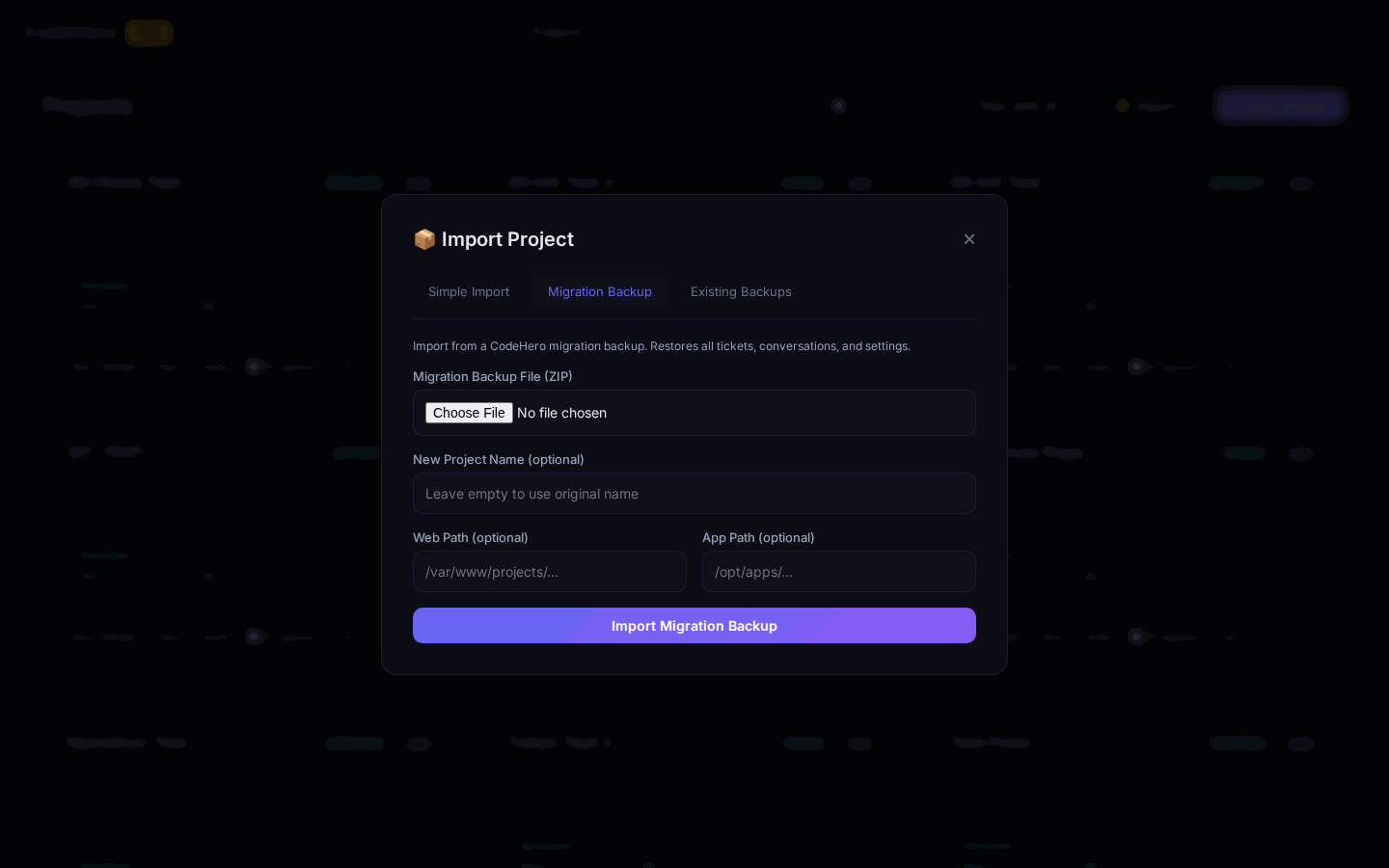
| Mode | Description | Use When |
|---|---|---|
| extend | Copy files into project path | Continue developing the project |
| reference | Store separately as template | Build something similar |
| Source | Examples |
|---|---|
| ZIP | URL or local path to ZIP file |
| Git | Repository URL (public or private) |
| Path | Local folder path (fastest for large projects) |
Git Private Repositories
| Platform | Username | Token Type |
|---|---|---|
| GitHub | Optional | Personal Access Token (PAT) |
| GitLab | Not needed | Personal Access Token |
| Bitbucket | Required | App Password |
The app's database (v4.55.1+) — an import of a backup made with 4.55.1 or later keeps the project's database name, user and password, so the app's own configuration (.env …) works unchanged: a container project gets them inside its new container (its own MySQL); a host project gets them when this server has neither that database nor that user — otherwise new ones, and the result says so (update the app's configuration, or ask a ticket to do it). Older backups still restore with new names.
The project code (v4.55.0+) — an import never takes a code another project has, or one that still holds the backups of a deleted project (the new project would take them over): a code CodeHero makes gets 2, 3, … at the end; a code you type that is in use stops the import with a message, before anything starts, so you can choose another.
4. Project Detail Page
Click on any project to view its detail page. The page is organized in collapsible sections.
Overview
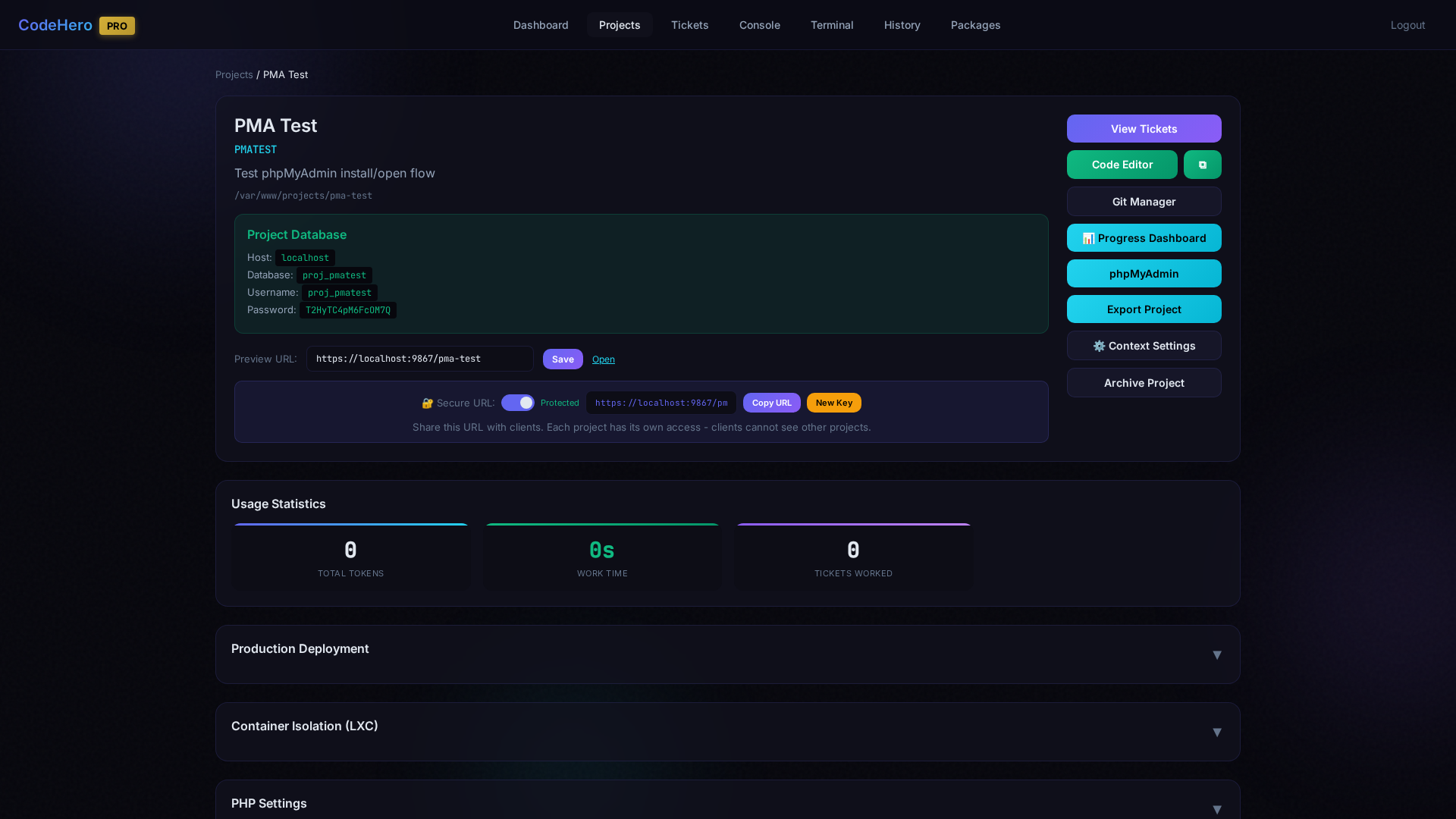
The top section shows project info (name, type, tech stack, description), database connection details with copy buttons, preview URL, quick action buttons (Code Editor, Git Manager, Progress Dashboard, phpMyAdmin, Export, Context Settings, Archive), and usage statistics (tokens, time, completed tickets).
Production Deployment
Deploy the project to a production-ready nginx config with its own domain or subdomain. Includes SSL certificate management.
Container Isolation (LXC)
Run the project in its own isolated LXC container with dedicated services. See Section 31 for full details.
PHP Settings
Configure the host-level PHP version and .user.ini for projects running directly on the host via nginx:
- PHP Version — Select and install any PHP version (7.4–8.4). Installs automatically and updates nginx config.
- .user.ini Editor — Edit PHP settings (
upload_max_filesize,memory_limit, etc.) with inline or fullscreen editor.
Context Settings
Customize the AI context for this project: select tech stack to load defaults, edit global context (universal rules) and project context (language-specific patterns). Global Context v6.1 is a core plus on-demand guides (planning, verify-fix, asking, update, helper, debugging, frontend, database, build, testing, native, release) that the agent opens with the codehero_get_guide tool; they live in /opt/codehero/config/guides/ and are loaded automatically into [PLAN], [REPLAN], [VERIFY], [FIX], [HELPER], [PEER] and [WORKER] tickets.
Project Files
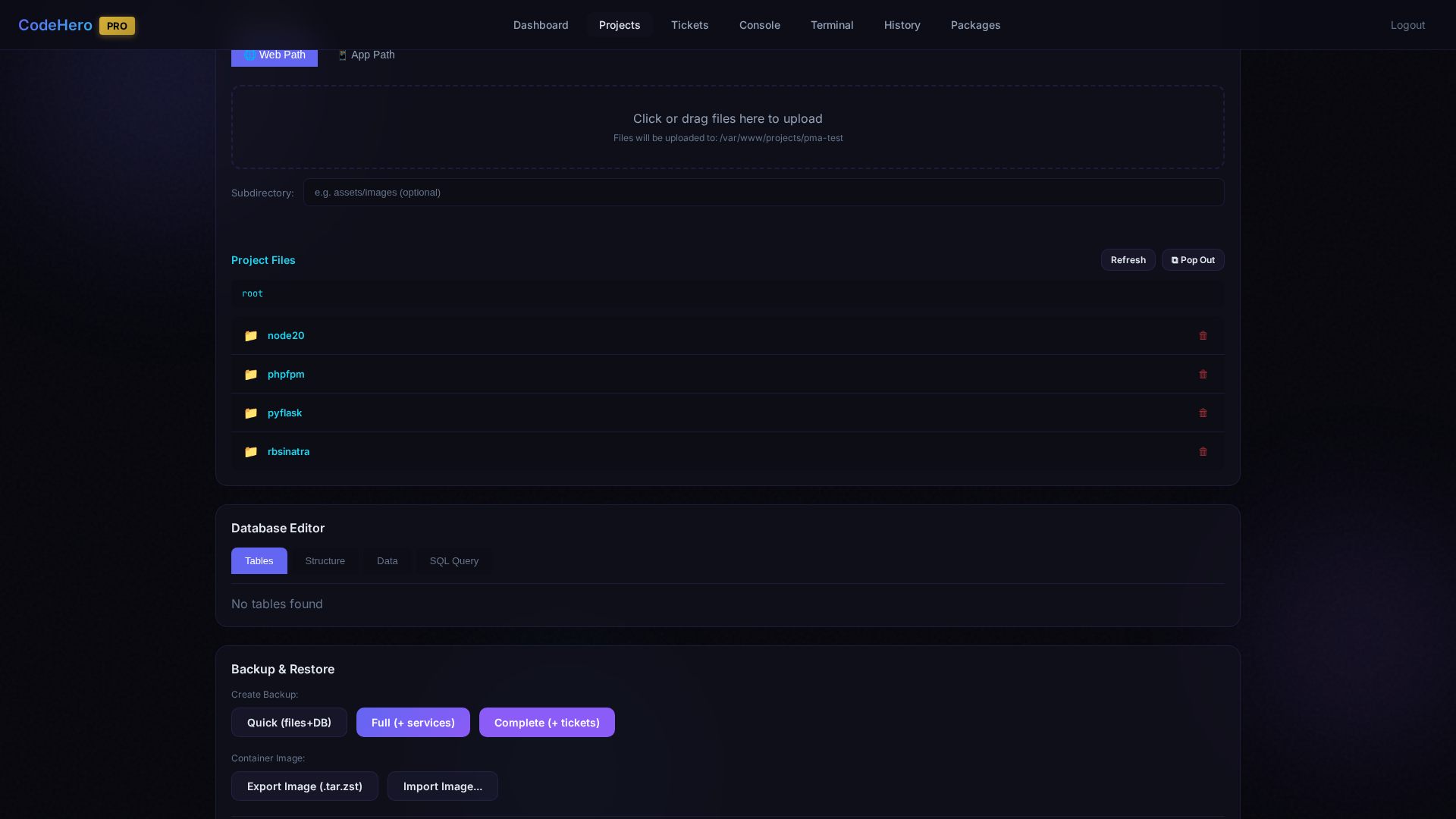
Upload files via drag & drop, browse the directory tree with folder navigation, delete files, and use the subdirectory filter. Includes Refresh and Pop Out (open in new window) buttons.
Database Editor
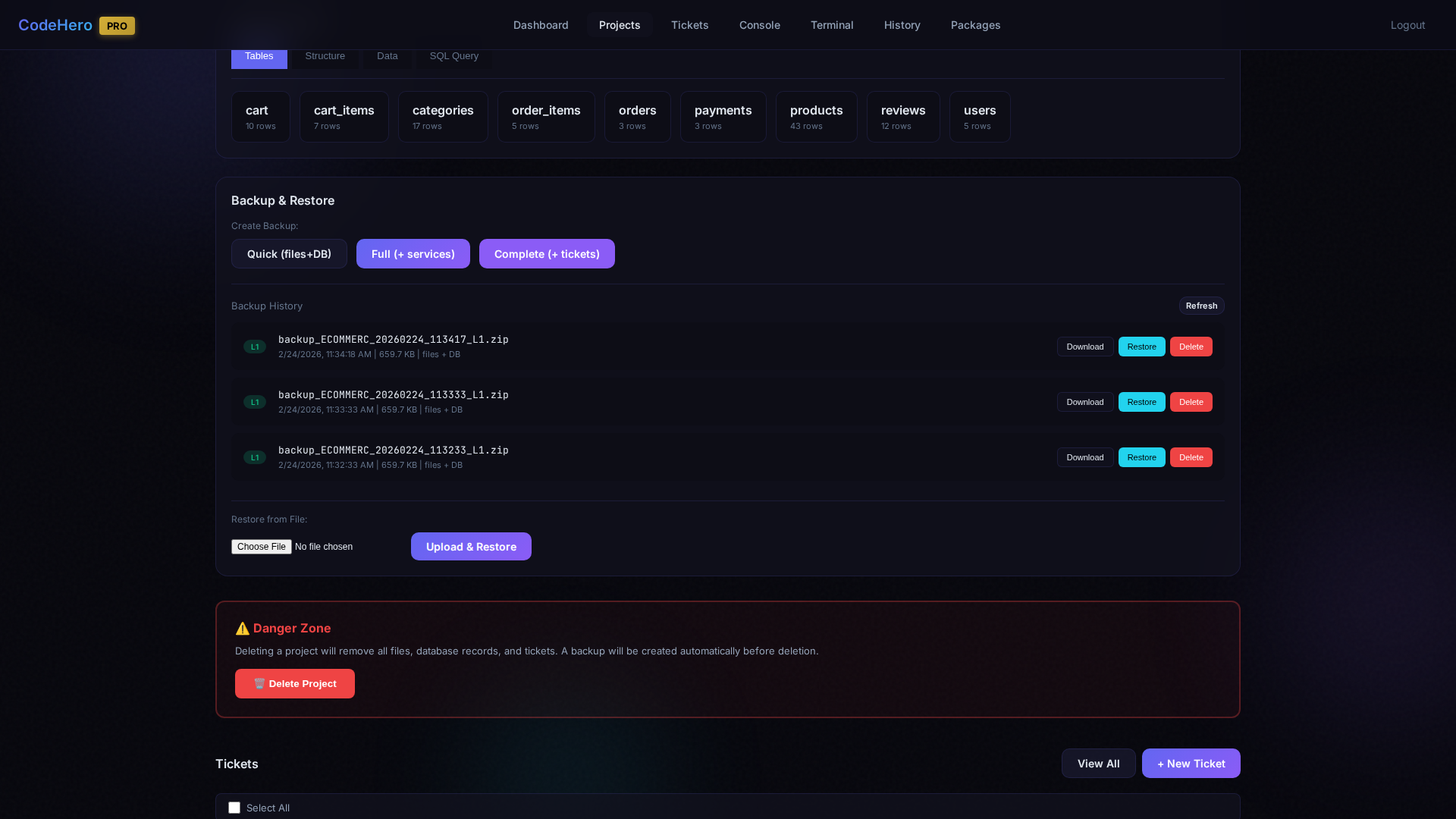
Each project gets its own MySQL database. Four tabs: Tables (clickable cards with row counts), Structure (column definitions), Data (browse with pagination), SQL Query (run queries directly).
Backup & Restore
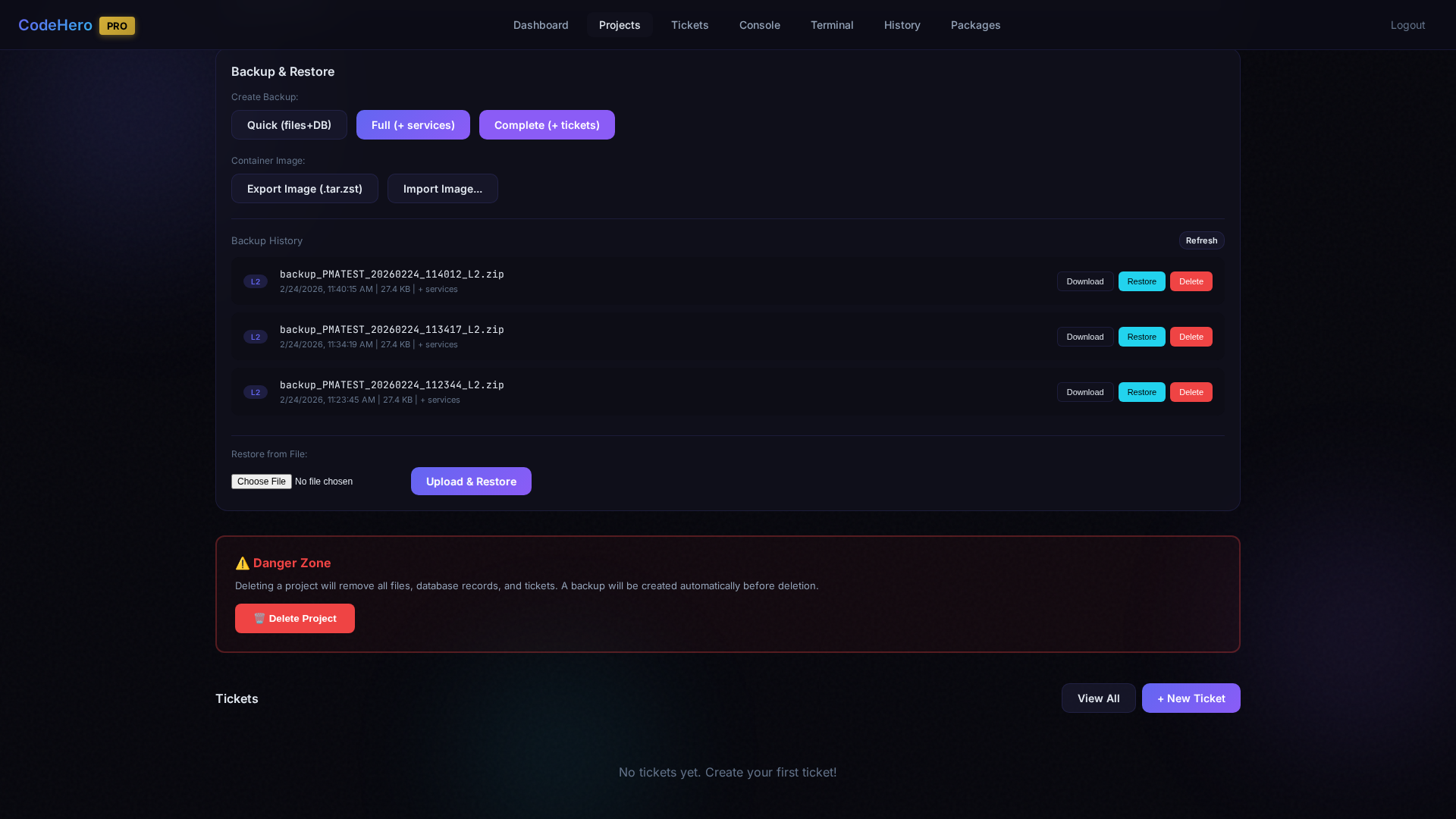
| Level | Contents | Use case |
|---|---|---|
| Quick (files+DB) | Project files and the project database — in a container project also every database of the container (v4.54.0+) | Fast daily backups |
| Full (+ services) | Quick + the container's services configuration and port forwards | Full project state |
| Complete (+ tickets) | Everything plus tickets, conversations and the knowledge graph | Migration between servers |
Additional features: container image export/import (since v4.55.0 only the image's data is read — a 50 GB disk holding 3 GB reads 3 GB — and an import gets a sparse image back), backup history with download/restore/delete, and upload & restore from another server.
Faster (v4.55.0+) — lighter compression (2–3× faster for a few % more size); in a container project its own database, which lives in the container, is saved once (it used to be saved twice); the panel stays responsive while a backup runs; the backup at a ticket's close no longer holds up the other projects' tickets (only that project's next ticket waits for it). Every backup notes how many seconds each step took.
Automatic / Kept / Safety — the Backup History has three tabs. Automatic: made by the platform (ticket close, auto) — the newest 20 are kept (any number; 0 = all). Kept: Quick / Full / Complete, image exports and every 📌 kept backup — never deleted automatically. Safety: taken right before a restore — the newest 5.
Nothing missing without a word (v4.54.0+) — every ZIP backup is made in one pass (no temporary copy; photos, videos and archives are stored as they are), keeps symlinks, empty folders and file permissions, and saves the project database with its procedures, functions, triggers, events and views. Whatever could not be saved — an unreadable file, a database that could not be dumped, a stopped container — is listed: ⚠ next to the backup in the list (hover for the details), in the result of the button and of codehero_unified_backup. A database with a broken view is still saved (only the view is skipped, and named). A backup shows in the list only once it is complete.
A safety copy before every restore (v4.54.0+) — a restore into the project first takes a Safety snapshot of the whole container (container projects) and a complete ZIP backup of the files and every database; if that copy cannot be made, nothing is restored. Importing a container image into the project takes the ZIP copy first (the image replaces the container's snapshots too). A backup restored as a new project brings its database objects along — their owner becomes the new project's database user.
What the ZIP backups leave out — an editable list, one pattern per line: .secrets and the dependency / build / cache folders (node_modules, vendor, .git, dist, …) by default. A name matches a folder or file with that name anywhere; a path (public/uploads) that folder from the project's root; * and ? are globs (*.mp4, uploads/tmp/*). Quick / Full / Complete use every line; Export and the automatic backups use only the .secrets line. The list saves itself as you type (removing the .secrets line asks first); Defaults brings it back.
Secrets
Passwords, keys and tokens that you give to a ticket are kept as files in .secrets/ at the project root:
| Where | .secrets/ |
|---|---|
| Git | Left out — a .secrets/ line is added to .gitignore once. Delete it in the Code Editor to commit them; it is not added again. |
| ZIP backups, Export | Left out — remove the .secrets line from the list in Backup & Restore to include them. |
| Restore of a ZIP backup | The current .secrets/ is kept; a backup that contains secrets puts its files back. |
| Local snapshots | Kept (snapshots never leave the machine). |
| Container image export | Included — the image is the whole container disk. |
More protection — a folder on the host. The Create button in the 🔐 Secrets panel makes /var/lib/codehero/secrets/<CODE>/, outside the project: never in git, a backup, an export, the container image or a snapshot. Only this project's tickets can use it; in a container project it is visible inside the container at the same path (the button restarts a running container once, never while a ticket of the project runs). It is deleted together with the project.
The Secrets menu (v4.52.1+) lists every file of both places, below in the same panel:
- + New set — values for one service, e.g.
facebook: per row a kind (Username, Password, API key, Token, Other) that suggests the name (FACEBOOK_PASSWORD), an optional note and the value. Saved as.secrets/<name>.env,KEY='value'lines, mode 600 — a command reads it withset -a; . .secrets/facebook.env; set +a. - + Login — a username and a password together (
FACEBOOK_USERNAME+FACEBOOK_PASSWORD); a second login in the same set asks for a prefix. - Where — in the project (
.secrets/, the app can read it) or in the host folder (only the tickets' commands). - Values stay hidden — names only; 👁 shows one value for 30 seconds; Edit keeps every value left empty.
- + File uploads a key file, JSON or YAML; Edit as text opens a text file. A file of its own shape is shown as a file — the menu never breaks on it; BOM / CRLF are flagged.
The secrets filter (v4.53.0+) — the values you keep in .secrets/ and in the host folder never reach the AI provider:
- The kind decides. 🛡 Password, API key, Token, Other secret; visible to the AI: Username and Setting (host, port, URL, ID). The panel shows 🛡 or visible per key; Format shows the template. A key without a kind counts by its name (PASSWORD, PASS, PWD, SECRET, TOKEN, KEY, PRIVATE, AUTH, CREDENTIAL, SALT, SIGNATURE, COOKIE, SESSION — not PUBLIC / PUBLISHABLE, not names ending in TYPE, NAME, ID, URL, HOST, PORT, PATH, FILE, REGION, MODE). A private key, a one-line file and any other text are protected; JSON / YAML / INI by key names. Values under 8 characters cannot be recognized (marked ⚠).
- What the AI sees — the names (never a value); it uses the files by path. An output holding a value is not sent (⛔; with
# codehero-maskit sees[secret: …]marks); writing a value is refused; its own text holding one is stored as a stub and written again. A value it makes is saved withcodehero-secretwithout being shown. - Your messages — a message or a ticket description holding one of these values is not sent: the screen names the file and the key; your text stays in the box. A password typed in the chat that is not in
.secrets/is not filtered. - The platform's provider keys and the Claude / Codex logins are protected too.
- Limits — a screenshot showing a value; values under 8 characters; a value typed by hand into a file the Claude CLI loads by itself (
CLAUDE.md). Codex needs the hooks the upgrade writes into/etc/codex/requirements.toml; without them a Codex ticket does not start and says why.
Danger Zone
Delete the project and all its data. Since v4.55.0 the dialog asks: Take a Complete backup first (the default — files, every database, tickets; if the backup fails or misses a database, e.g. a stopped container's, nothing is deleted) or Delete without a backup.
The backups a deleted project leaves — that last one and its earlier ones — are in Dashboard → Import Project → Existing backups → Deleted projects: Import brings the project back (with a new code), Download, Delete one, or Delete all — its database dumps too (v4.55.1+). (Before v4.55.0 the dialog promised a backup that was never made.) A delete never drops a database or a database user that another project still uses (v4.55.1+).
5. Project Settings & Context
Project Context
Each project has an AI context that helps the AI understand the codebase:
- Auto-generated — Created during project analysis
- Manual — Add custom instructions, coding standards, architecture notes
- Framework detection — Auto-detects tech stack and relevant files
Project Settings
Edit project settings from the project detail page: change provider, AI model, think mode, update description and context, set default execution mode, configure auto-commit and auto-push for git.
6. Creating Tickets
Tickets are the core workflow unit. Each ticket represents a task for the AI to complete.
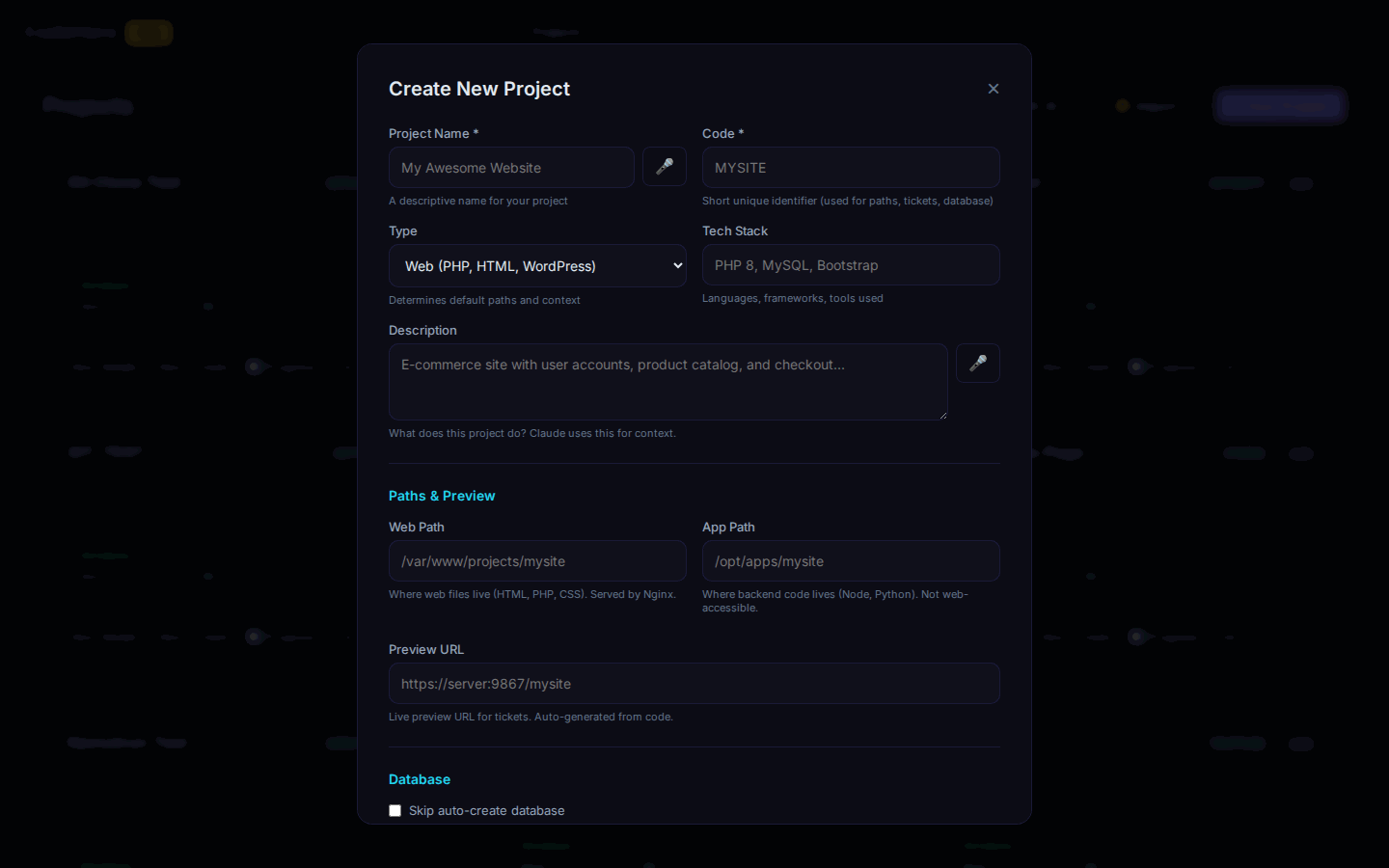
| Field | Required | Description |
|---|---|---|
| Title | Yes | Short description of the task |
| Description | Yes | Detailed instructions for the AI |
| Type | No | Category (feature, bug, task, etc.) |
| Priority | No | low, medium, high, critical |
| Provider | No | Override project's provider |
| AI Model | No | Override project's developer role |
| Think Mode | No | Override project's think mode |
| Execution Mode | No | Override project's execution mode |
| Sequence Order | No | Execution order number |
| Dependencies | No | Tickets that must complete first |
| Parent Ticket | No | Create as sub-ticket |
| Max Retries | No | Auto-retry count (default: 3) |
Tickets Page
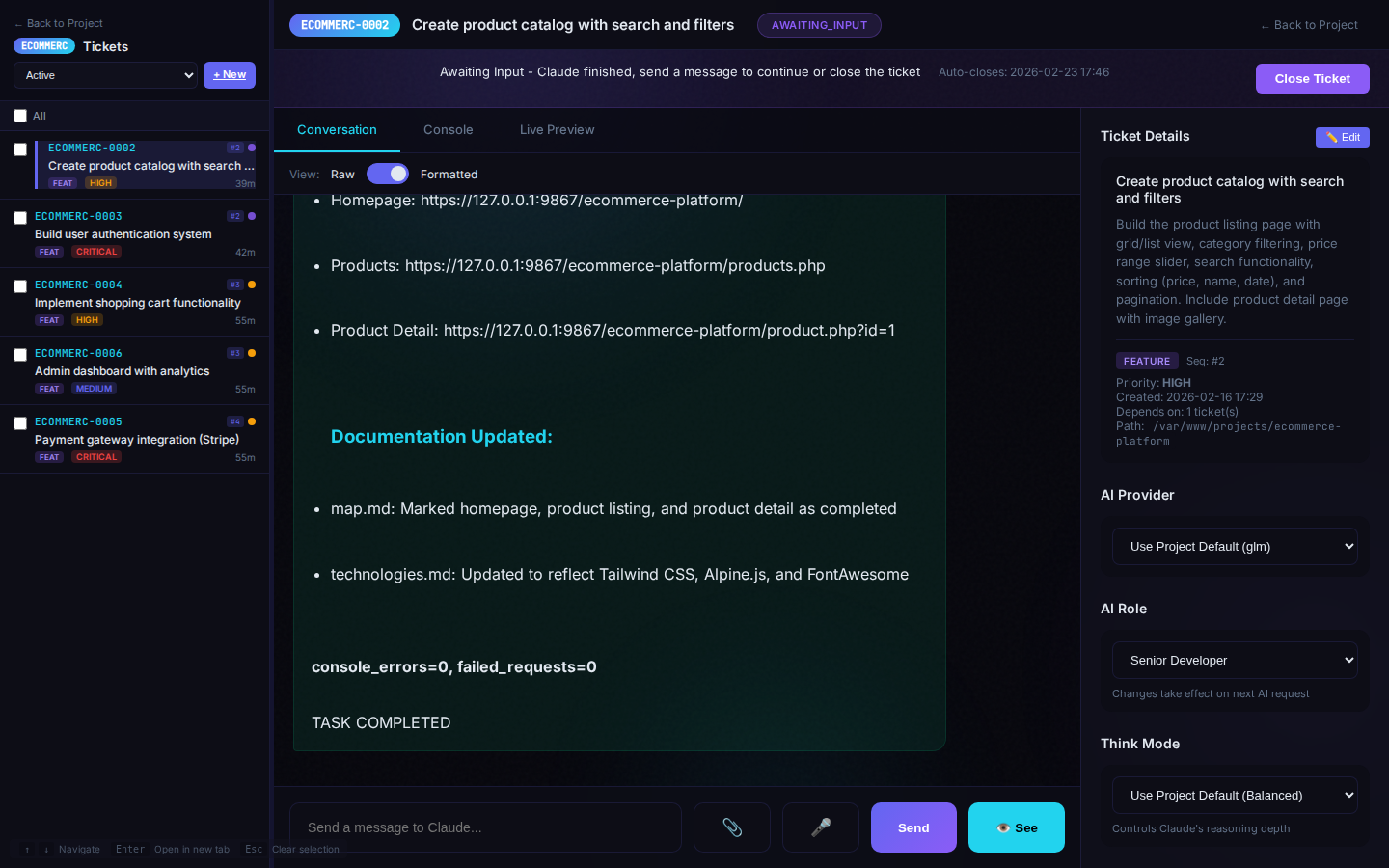
Features: drag-and-drop reordering, filter by status/type/priority, bulk actions, and sequence visualization.
7. Ticket Types & Priority
Ticket Types
| Type | Color | Use For |
|---|---|---|
| feature | Purple | New functionality |
| bug | Red | Fix broken behavior |
| debug | Orange | Investigation, troubleshooting |
| rnd | Violet | Research & Development |
| task | Gray | General work (default) |
| improvement | Cyan | Refactoring, optimization |
| docs | Green | Documentation |
Priority
| Priority | When to Use |
|---|---|
| critical | Urgent, blocks other work |
| high | Important, do soon |
| medium | Normal priority (default) |
| low | Nice to have |
8. Execution Modes
Control how much freedom the AI has when working on tickets.
| Mode | Description |
|---|---|
| Autonomous | Full access, no permission prompts. AI works uninterrupted. Default |
| Semi-Autonomous | Smart sandbox. Auto-approves safe operations, asks for risky ones, blocks dangerous. |
| Supervised | AI asks permission before every write/edit/bash operation. |
Semi-Autonomous Mode Details
Auto-Approved (no prompts)
- File create/edit/delete within project folder
- Running tests (
npm test,pytest,phpunit) - Build commands (
npm run build,composer install) - Git read operations (
git status,git log,git diff)
Requires Approval
- Installing packages (
npm install,pip install) - Git write operations (
git commit,git push) - Database migrations
- Network requests (
curl,wget)
Blocked
- System commands (
sudo,apt,systemctl) - Modifying
.gitfolder - Accessing system paths (
/etc,/opt/codehero) - Dangerous commands (
rm -rf /,chmod 777)
9. Sequencing & Dependencies
Sequence Numbers
Control execution order: assign a number (1, 2, 3...) to each ticket. Lower numbers run first. Same number = run in parallel (as many at once as the installation's MAX_PARALLEL_TICKETS_PER_PROJECT slots allow). A higher number starts only when every lower-numbered ticket is done or skipped; a ticket left in awaiting_input holds everything behind it. A dependency is satisfied only by done/skipped, in relaxed and strict mode alike.
sequence_order=1: [Setup DB, Install deps]     → Run in PARALLEL
sequence_order=2: [Build auth]                  → Waits for seq=1
sequence_order=3: [Users API, Products API]     → Run in PARALLEL
Parallel Work and Lead Mode
A plan runs serially by default: one ticket after the other. Tickets share a sequence number (and run in parallel) only when you ask for parallel work and the planning ticket has proved that no two of them write the same file.
One case needs no approval, because nothing can collide: lead mode. After the planning ticket and its peer have agreed on the plan and your answers are in, the planner may build 2–5 tightly coupled parts at the same time as [WORKER] tickets that report back to it:
- the planner writes the shared files first (contracts, routes, config, package files, shared CSS); a worker never touches them;
- each worker gets its own SPEC FILE and an
OWNS:line with the only files it may write, including its own log.specs/<NNN>-<part>.log; a file edit outside that line is refused by the platform; - the planner parks with
⏸ WAITING-FOR-ALL-TICKETS #a, #b (…)and is woken once, when every worker has answered or ended; - it reads each worker's log, runs its tests, checks in the git diff that the worker changed only its own files, sends findings back to that worker, and closes each worker itself.
Lead mode is for a few small, tightly coupled parts; a long phase stays normal tickets with [VERIFY] and [REPLAN].
Relaxed vs Strict Mode (deps_include_awaiting)
The flow decides who closes a ticket when the agent ends its turn (every run ends in awaiting_input). The agent's report starts with two lines the reviewer reads: NEEDS THE USER: yes/no and OPEN ISSUES AND DOUBTS: …. Before it writes them the agent checks its own report: finished or recorded work is reported as done, not as an open issue; a technical doubt it cannot settle is tried another way and then taken to one helper ticket; only what truly needs you becomes yes. yes always keeps the ticket open for you. A chain ticket ([VERIFY], [FIX], [PLAN], [REPLAN]) closes on its own no; its listed doubts stay on the record. A [PEER], [HELPER] or [WORKER] ticket is never auto-closed: the ticket that opened it closes it. A build ticket whose lines say no + none closes on those lines (the next [VERIFY] is the check). A report that contradicts itself (no followed by a list of open issues) or that has no two lines is sent back once: the reviewer writes to the ticket (📨 SYSTEM (auto-reviewer): …), the agent corrects its lines and the ticket closes without waiting for you; if the second report contradicts itself again, the ticket waits for you (never a loop). A ticket parked with ⏸ WAITING-FOR-TICKET #id (number · title) — or ⏸ WAITING-FOR-ALL-TICKETS #a, #b (…) — waits for those tickets (see Tickets that open other tickets). A planning ticket cannot create tickets while a peer, helper or worker of the project is still open (the platform refuses), and a subscription window limit reported by the CLI pauses the ticket and retries every few minutes until the window is back.
The auto-reviewer, the watchdog (every 30 minutes it checks that a running ticket is not stuck) and the ticket summaries think in balanced mode by default, on the ticket's provider. Change it per role in heroagent.conf → role_think_modes (close_ticket_reviewer, kill_switch: off, basic, balanced or ultra).
| Mode | Behavior |
|---|---|
| Relaxed (default) | The auto-reviewer reads the final report and closes the ticket (done) when the work is complete and clean, so the next tickets start on their own |
| Strict | Nothing closes automatically; you review and close every ticket, and the run waits at each one |
10. Sub-tickets & Parent Tickets
Break complex tasks into smaller pieces:
- Create a main (parent) ticket
- Create sub-tickets with Parent Ticket set to the main ticket
- Sub-tickets inherit project context + receive parent's conversation summary
Sub-tickets wait for parent to complete first, then receive context from parent's title, description, and last 50 messages.
Tickets That Open Other Tickets
Tickets open other tickets while they work: a planning ticket opens a [PEER] that reviews its plan (and [WORKER]s in lead mode), a verifier opens a [FIX] for the builder, and any ticket may open one [HELPER] for a doubt it cannot settle. The platform records who opened each ticket (created_by_ticket_id). They talk with messages (codehero_update_ticket(reply=…), signed 📨 FROM TICKET #id): a working ticket reads a message at its next step, a parked ticket is woken by it. The platform makes sure nobody waits forever:
| Situation | What the platform does |
|---|---|
| A ticket opened by another ticket (peer, helper, worker, fix) ends its turn without replying to its opener | Sends the opener that ticket's final report — "This ticket, which YOU opened, ended its turn without replying to you. If it has not given you an answer, ask it again" — and wakes it |
| A ticket ends its turn waiting, while another ticket is parked waiting for it | Tells the parked ticket to ask again (📨 SYSTEM (waiting-check): …) and wakes it — at most twice per ticket since your last message; after that it is left for you |
A planner waits for several workers (⏸ WAITING-FOR-ALL-TICKETS) | Wakes it once, when all of them have answered or ended |
| A message is information only (for example a change to the specification) | Delivers it without waking a parked ticket (wake=false, shown as "ℹ️ FOR YOUR INFORMATION"); a ticket that reads it while waiting goes back to waiting |
A closed ticket (done or skipped) is never woken by any of these.
When your answer changes the product. You answer a ticket's question and the answer changes a requirement (for example the payment deadline becomes 45 days instead of 30). The ticket records the change once, as a row in the change log .specs/000-changes.md (guide update.md), updates the specs and tests of the work that is still open, and sends an information-only notice to the unfinished tickets it concerns. Every ticket reads the change log first, so later tickets, the verifier and the replan know the change without you repeating it; finished work that still states the old value becomes an open item that the next [REPLAN] repairs.
11. Ticket Lifecycle & Actions
Ticket Statuses
| Status | Description |
|---|---|
open | Waiting to be processed |
in_progress | AI is currently working |
awaiting_input | AI needs your response |
done | Successfully completed |
failed | Something went wrong |
skipped | Manually skipped |
timeout | Exceeded max duration |
Ticket Detail
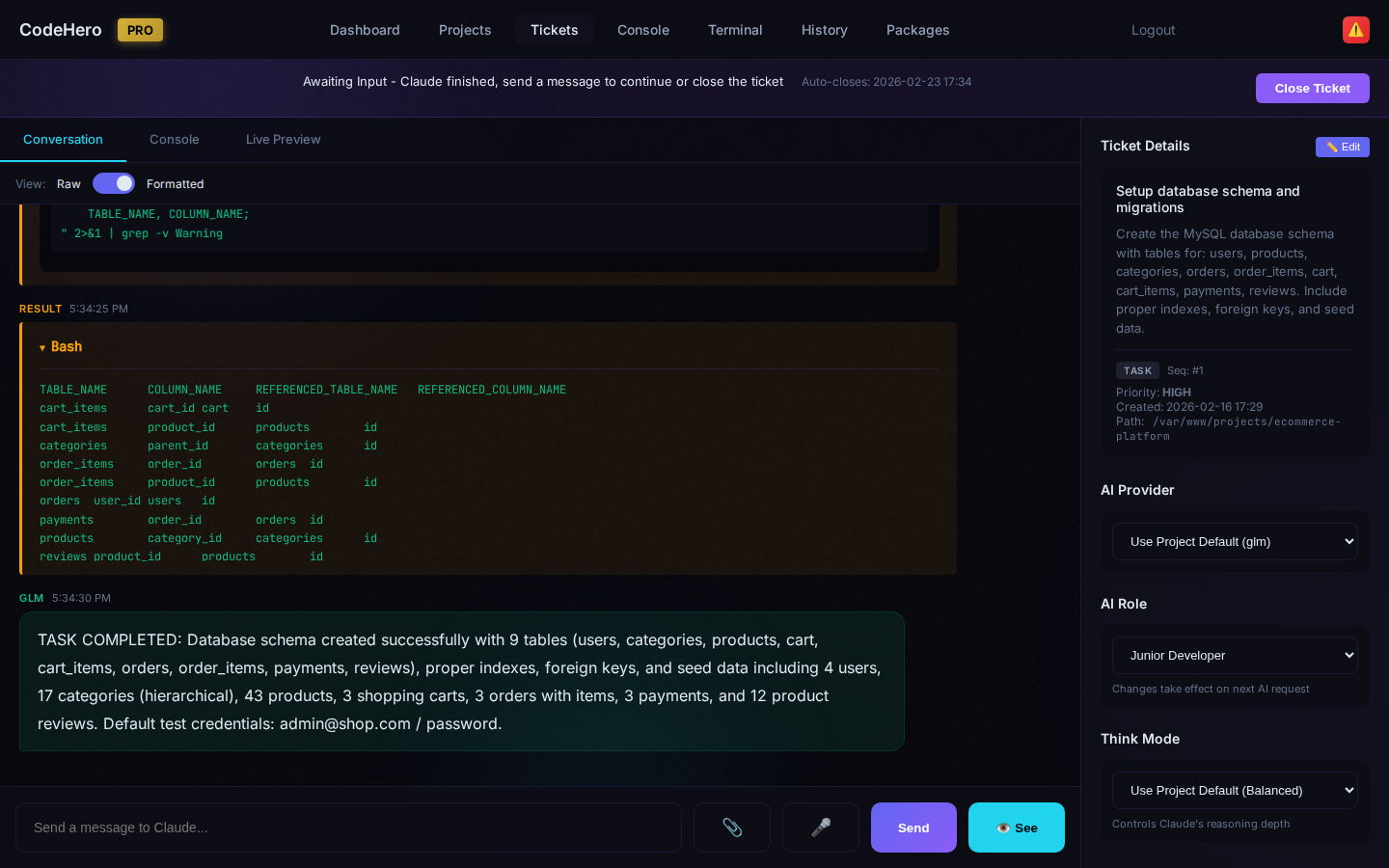
Ticket Conversation
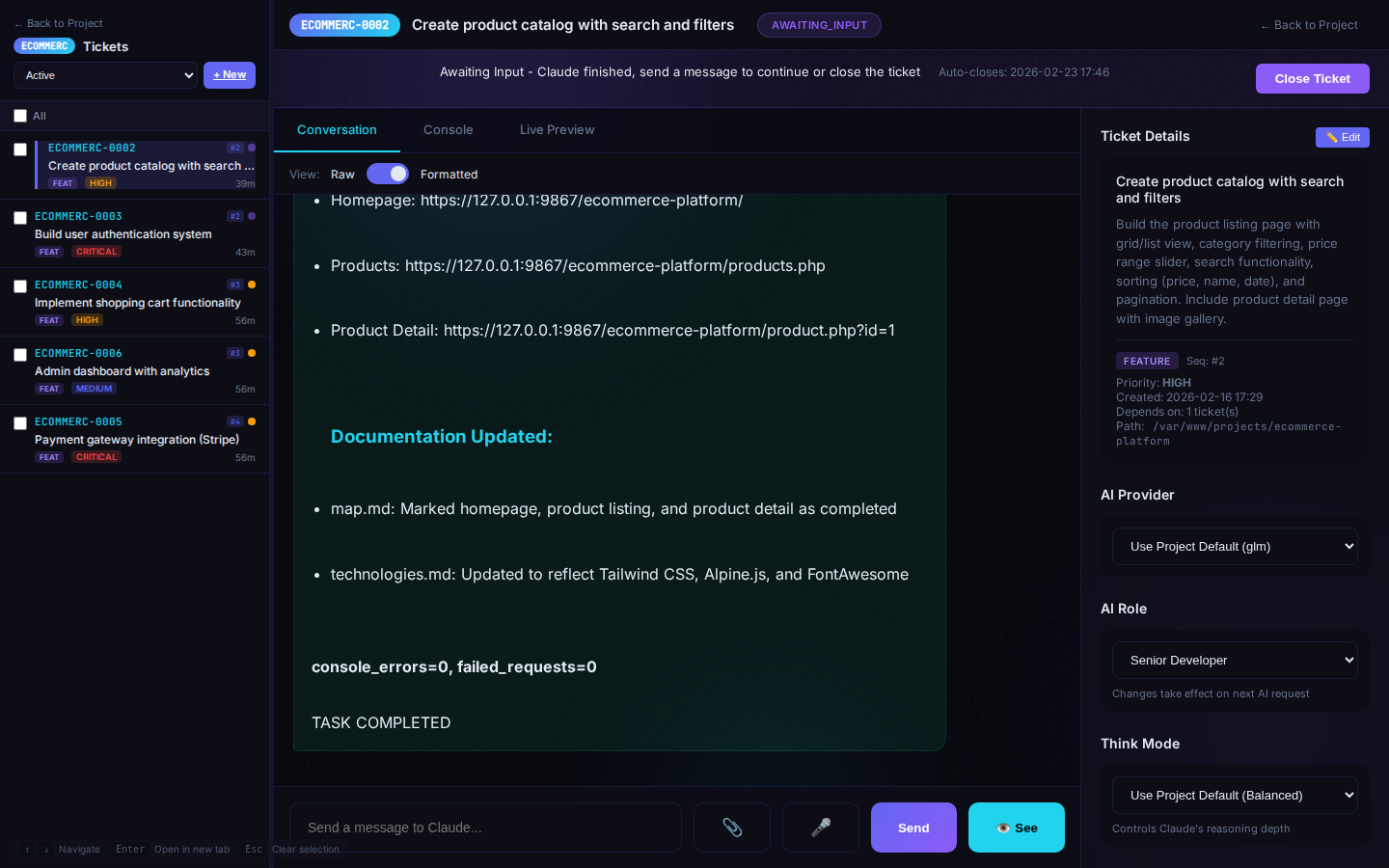
On a phone, tablet or foldable the conversation gets the screen. Up to 1100 px wide (tablets, an open Galaxy Fold) the menu is behind ☰ and the ticket details open from Details. Scrolling the conversation down hides the menu bar, and scrolling up shows it again. While you type, 📎 and 🎤 step aside so the text box gets the width. A long ticket title stays on one line. Coming back to the app after the screen was off picks up the messages that arrived meanwhile, with no refresh.
Actions
| Button | What it does |
|---|---|
| Start Now / Force Next | Forced start: runs immediately, in parallel with whatever runs, ignoring its sequence number, its dependencies and the slot limit (for an observer ticket or a small change; the flag stays on the ticket) |
| Retry | Retry a failed ticket |
| Skip | Skip this ticket |
| Delete | Permanently delete ticket |
| Stop | Kill switch — stop AI immediately |
| Send Message | Add instructions — a working ticket reads them at its next step; an awaiting ticket re-opens |
12. Auto-Retry
Failed tickets can automatically retry. Each ticket has retry_count (starts at 0) and max_retries (default 3). When a ticket fails, retry_count increments. If retry_count < max_retries, the ticket resets to open and tries again.
13. Multi-Provider Support
CodeHero currently routes through 7 cloud providers and a curated 15-model catalog. Switch per task — never locked in. Local providers (Ollama, vLLM) are on the roadmap but not yet enabled.
| Provider | Available Models | Native price (in/out per 1M) | Subscription option |
|---|---|---|---|
| Anthropic | Claude Fable 5.1, Opus 5.5, Sonnet 5 | $10/$50 → $2/$10 | ✅ Claude Pro/Max |
| OpenAI | GPT-6 Astra, GPT-6 Sol, GPT-6 Luna | $10/$50 → $0.10/$0.50 | ✅ ChatGPT Plus/Pro (via Codex CLI) |
| Google Gemini | Gemini 2.5 Pro | $1.25 / $10 | — |
| xAI Grok | Grok 4.3 (1M ctx, always-on reasoning) | $1.25 / $2.50 | — |
| DeepSeek | V4 Pro (text only, no vision) | $0.27 / $1.10 | — |
| z.ai GLM | GLM 5.1 (vision) | $0.30 / $1.10 | ✅ GLM Coding plan |
| OpenRouter | 15-model catalog (everything above + 4 OR-exclusive) | Native price + 5.5% | — |
15-Model Catalog with Pricing & Strengths
Pricing is per 1M tokens. Subscription column shows the route when using a flat-rate plan (≈5× cheaper than the equivalent native API). Smart weight is 1–10 (10 = arena frontier).
| # | Model | Native in / out | OR +5.5% | Sub | Smart | Best for |
|---|---|---|---|---|---|---|
| 1 | anthropic/claude-fable-5.1 | $10 / $50 | $10.55 / $52.75 | ✅ | 10 | reasoning, debug, mobile, web design, refactor (Mythos-class tier) |
| 2 | anthropic/claude-opus-5.5 | $4 / $20 | $4.22 / $21.10 | ✅ | 10 | web design, PHP backend, backend API, code review, databases, debug |
| 3 | anthropic/claude-sonnet-5 | $2 / $10 | $2.11 / $10.55 | ✅ | 9 | boilerplate, docs, PHP frontend, testing, web design |
| 4 | openai/gpt-6-astra | $10 / $50 | $10.55 / $52.75 | ✅ | 10 | reasoning, debug, mobile, web design, code review |
| 5 | openai/gpt-6-sol | $2 / $10 | $2.11 / $10.55 | ✅ | 9 | databases, PHP backend, backend API, frontend frameworks |
| 6 | openai/gpt-6-luna | $0.10 / $0.50 | $0.106 / $0.53 | ✅ | 7 | boilerplate, docs, PHP frontend, testing, backend API |
| 7 | x-ai/grok-4.3 | $1.25 / $2.50 | $1.32 / $2.64 | — | 8 | reasoning, debug, backend API, code review (always-on reasoning, 1M ctx) |
| 8 | deepseek/deepseek-v4-pro | $0.27 / $1.10 | $0.285 / $1.16 | — | 9 | code review, refactor, PHP backend, databases, reasoning (text only — no vision) |
| 9 | z-ai/glm-5.1 | $0.30 / $1.10 | $0.317 / $1.16 | ✅ | 8 | web design, frontend frameworks, PHP frontend, mobile, docs (vision) |
| 10 | moonshotai/kimi-k2.6 | — | ~$2.00 / $8.00 | — | 8 | long-context reasoning, Chinese/English bilingual, code |
| 11 | xiaomi/mimo-v2.5-pro | — | ~$0.50 / $2.00 | — | 7 | code reasoning, agent tasks (compact MoE) |
| 12 | minimax/minimax-m2.7 | — | ~$1.00 / $4.00 | — | 7 | long-form generation, agent workflows |
| 13 | qwen/qwen3.6-plus | — | ~$0.33 / $1.95 | — | 7 | boilerplate, PHP backend, backend API, testing, docs (vision) |
| 14 | qwen/qwen3.7-max | — | ~$1.25 / $3.75 | — | 9 | reasoning, debug, refactor, code review, agentic coding (text only) |
| 15 | google/gemini-2.5-pro | $1.25 / $10 | $1.32 / $10.55 | — | 9 | reasoning, debug, mobile, frontend frameworks, refactor |
effective_cost_weight = cost × 0.20 when subscription is enabled, and prefers those routes automatically.Cost Weights (shipped defaults, 1-10 — lower = cheaper)
| Provider | Master | Senior | Junior |
|---|---|---|---|
| Anthropic | 10 | 7 | 4 |
| OpenAI | 10 | 4 | 1 |
| Gemini | 5 | 2 | 1 |
| Grok | 3 | 3 | 3 |
| DeepSeek | 3 | 3 | 3 |
| GLM | 4 | 4 | 4 |
| OpenRouter (qwen3.7-max / deepseek-v4-pro / qwen3.6-plus) | 3 | 2 | 2 |
Smart Weights (shipped defaults, 1-10 — higher = stronger)
| Provider | Master | Senior | Junior |
|---|---|---|---|
| Anthropic | 10 | 10 | 9 |
| OpenAI | 10 | 9 | 7 |
| DeepSeek | 9 | 9 | 9 |
| Gemini | 9 | 6 | 4 |
| Grok | 8 | 8 | 8 |
| GLM | 8 | 8 | 8 |
| OpenRouter | 9 | 9 | 7 |
No connection with your Claude / ChatGPT account's extras (v4.55.0+) — every Claude CLI CodeHero starts (tickets, the reviewer, the assistant) runs without the claude.ai connectors (Gmail, Google Drive, Calendar, Claude Docs), the skills and plugins synced from claude.ai, the Artifact tool and Remote Control; Codex runs without the ChatGPT apps and plugins. Only for those runs — nothing on disk is moved, and your own sessions are not touched. The codehero tools stay.
The lineup changes between versions: the Providers page (and the codehero_get_providers_info tool) shows the models, weights and strengths of your installation.
open. It tries again by itself when the window resets, and every 30 minutes at most while the limit lasts. It continues where it stopped; the wait is not a failed attempt, and the reviewer and the watchdog leave it alone. A message from you makes it try at once.14. Developer Roles
Each ticket stores a developer role; the concrete model comes from the provider's model_aliases in heroagent.conf, so a new model needs no change to the tickets.
| Role | Anthropic | OpenAI | Used for |
|---|---|---|---|
| master_developer | Claude Fable 5.1 | GPT-6 Astra | Only when you choose it (it costs many tokens) |
| senior_developer | Claude Opus 5.5 | GPT-6 Sol | Planning and replan tickets and their peers, verifiers, helpers, hard build work |
| junior_developer | Claude Sonnet 5 | GPT-6 Luna | Build work: trivial, simple and moderate |
The same role is not the same ability everywhere: compare the smart weights (Section 13). Anthropic's junior (Sonnet 5, smart weight 9) can take moderate work; a junior with smart weight 7 or less gets only trivial and simple work.
Role and Think Mode per Ticket Kind
The planning ticket sets them for every ticket it creates — economy without losing quality: the plan is made by two seniors of different families (the planner and its peer) talking until they agree; the build tickets, where most tokens go, run on junior. Master only when you choose it — on the project or on any single ticket; your choice always wins.
| Ticket | Role | Think mode | One step higher when |
|---|---|---|---|
[PLAN] / [REPLAN] | senior | balanced | ultra: a new real project; money, permissions, security or deletion in scope; a replan after failed or blocked work |
[PEER] (plan review) | senior, never below the planner | the planner's | — |
[HELPER] | senior, never below the ticket that opens it | ultra | — |
[VERIFY] | senior, the other provider family | balanced | ultra: money, permissions, security, deletion or concurrency |
[FIX] | the builder's provider and role | the builder's | round 2: one think step up · round 3: senior + ultra |
Build / [WORKER] / [RELEASE] | junior; senior for hard work — the ticket that creates it decides | by difficulty | — |
Difficulty of a Build Ticket
| Difficulty | Signals | Role + think (strategy balanced) |
|---|---|---|
| Trivial | texts, labels, config values, docs; a copy of a pattern that already exists in the project | junior + off |
| Simple | a form, CRUD or static page on an existing pattern, simple validation, 1–2 files | junior + basic |
| Moderate | a new feature with logic over a few files, the first instance of a pattern, a schema of 2–5 tables | junior + balanced |
| Hard | money, taxes, prices · permissions, tenant isolation · deletion, retention · concurrency, queues, locks · security, secrets · an external API with uncertain results · a migration of real data · an unclear bug · anything hard to test | senior + ultra |
Strategy eco moves one step down (never for hard work, never below junior + off); performance moves one step up. A part that failed before goes one step up.
15. Think Mode (Extended Thinking)
| Mode | Description | Best For |
|---|---|---|
| off | No extended thinking | Trivial tasks |
| basic | Light reasoning | Simple features |
| balanced | Moderate analysis | Most tasks (project default) |
| ultra | Deep reasoning | Planning, peers, helpers, hard work, debugging |
ultra is never a project default: it belongs to the tickets of Section 14 and to your explicit choice. Think mode mostly buys speed and depth rather than cost — most tokens are the project context read again at every step.
How Each Provider Applies It
| Provider | off → basic → balanced → ultra |
|---|---|
Anthropic (API, claude CLI) | effort low → high → xhigh → max |
| OpenAI (API, Codex CLI) | effort none (GPT-6 Astra: low, its lowest) → high → xhigh → max |
| OpenRouter | by model: OpenAI and Claude models use the effort levels above (Claude's ultra is xhigh there); other models on/off |
| Gemini | token budget |
| DeepSeek, GLM, Grok | thinking on or off |
| Ollama, vLLM | no thinking support |
Context Limit
Under Think Mode — on the project, in the new-ticket form and on the ticket page — Context limit sets the size at which a ticket's context is compacted. The Claude CLI and Codex compact their own context at it and start every run within it; with the API providers CodeHero's own compaction runs at it. While the Claude CLI or Codex works, CodeHero still summarizes the stored history at the larger heroagent.conf thresholds, so it never outgrows one summary. A smaller context means fewer tokens on every call.
- Auto (recommended): by ticket kind and provider. A project value is inherited by its tickets, like the think mode; a ticket's own value wins.
- Never above 80 % of the model's window; never so low that the run would compact again at once (the fixed instructions + the kept history + 60K working room).
| Ticket kind | Claude and API providers | Codex |
|---|---|---|
[PLAN] / [REPLAN] | 400K | 300K |
[VERIFY] — it checks several tickets and reads much data | 300K | 250K |
Build / [WORKER] / [RELEASE] | 250K | 200K |
[FIX] — one specific problem / [HELPER] | 150K | 150K |
[PEER] | the limit of the ticket that opened it | the same |
The order is plan > verify > build > fix. A [PEER] thinks about the same problem as the ticket that opened it, so it gets that ticket's own value, or the Auto of its kind in the peer's column (a peer of a planner: 400K / 300K); with no opener, a planner's. A verifier opens one [FIX] per finding (or per small group in the same place, at most five a cycle), which keeps every fix small.
A planner sets a value only with a reason — 100K for a ticket that only runs tests, 500K–800K for a planning ticket that must read a very large baseline. The table is in heroagent.conf (context_limits).
16. Vision Support
Some providers can "see" — analyze screenshots, UI layouts, and visual content.
| Provider | Vision | Use For |
|---|---|---|
| Anthropic | Yes | UI verification, styling, visual QA |
| Gemini | Yes | UI verification, styling |
| GLM | Yes | UI verification (auto-switches model) |
| Grok | Yes | UI verification |
| OpenAI | Yes | UI verification |
| OpenRouter | Depends | Depends on underlying model |
| DeepSeek | No | Backend only |
| Ollama | No | Backend only |
| vLLM | No | Backend only |
17. Code Editor
The built-in Monaco Editor provides VS Code-quality editing in your browser.
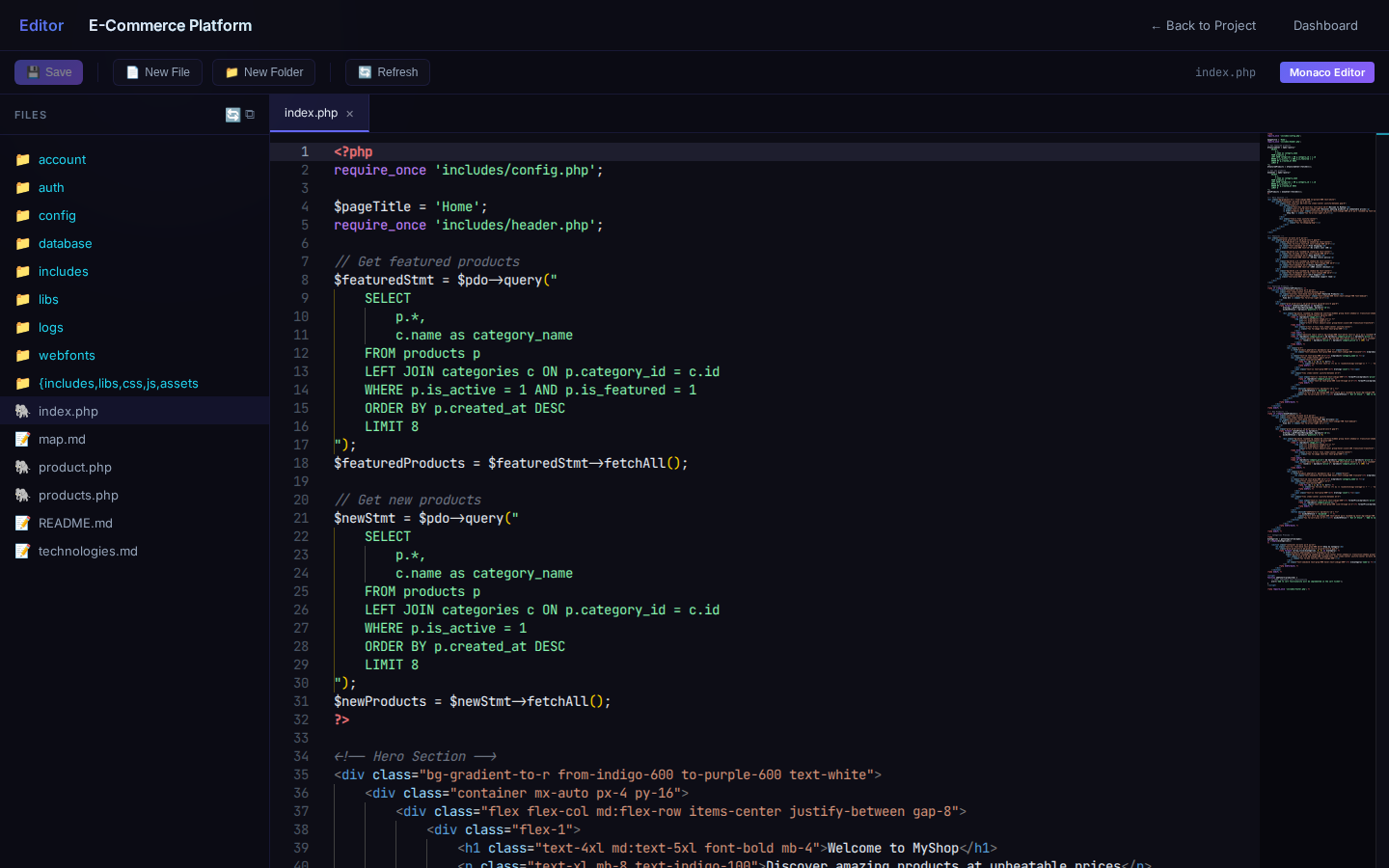
- Syntax highlighting for all major languages
- Autocomplete with LSP integration
- Hover documentation — hover over functions for docs
- Go-to-definition — Ctrl+Click to jump to definitions
- Real-time error detection — squiggly lines for errors/warnings
- Multi-tab editing — when the tabs no longer fit, ‹ › buttons and a list of all open files appear; the mouse wheel scrolls the tabs, and the tab you open is always in view
- File tree — navigate project files in sidebar
- Search & replace — Ctrl+H
- Minimap — code overview on the right
sudo /opt/codehero/scripts/setup_lsp.sh to install language servers for full IDE features.18. File Explorer
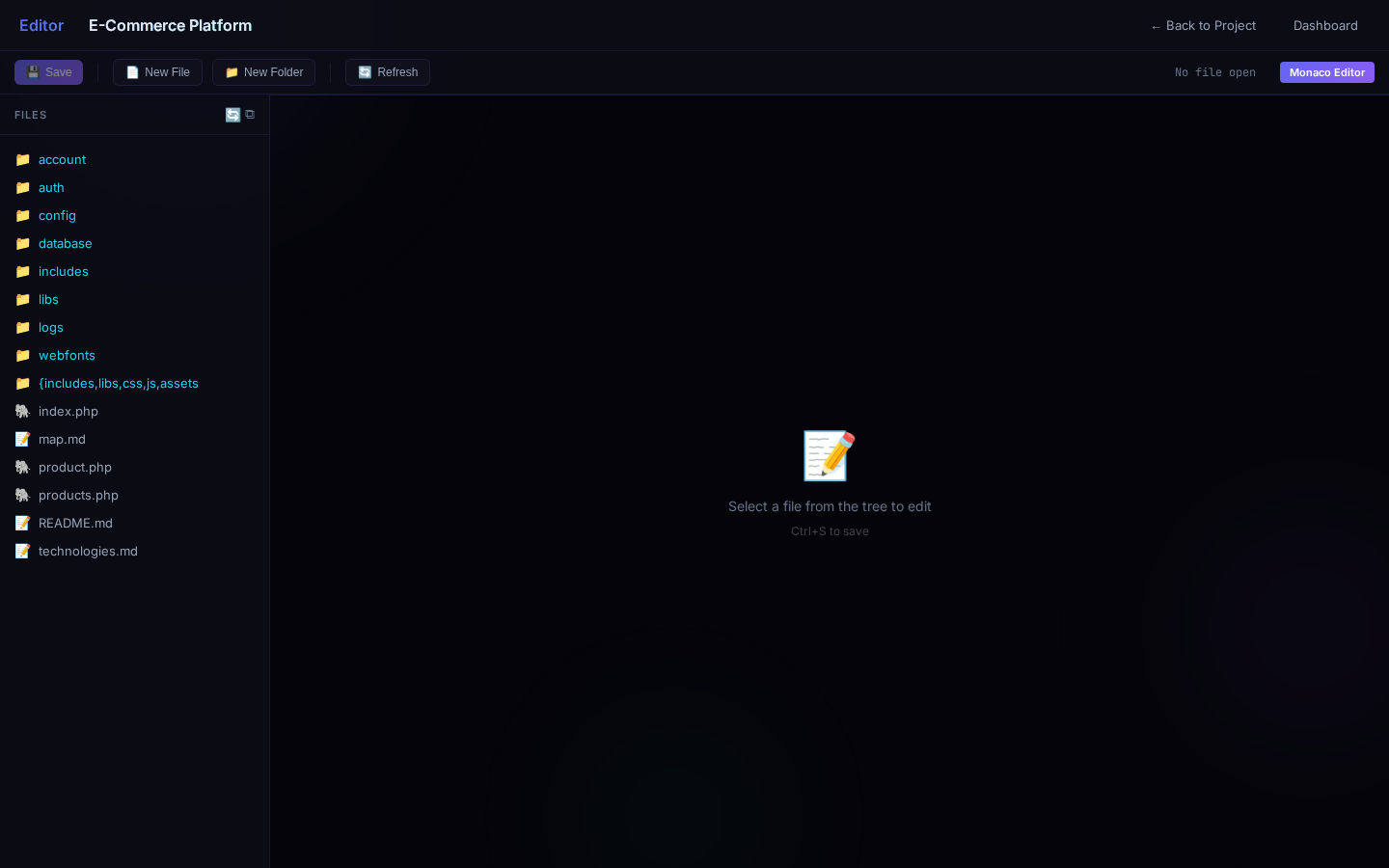
- Directory tree with expand/collapse
- File preview for text, images, and code
- Upload via drag-and-drop or file picker
- Create, rename, delete files and folders
- Download files
19. Git Manager
Full version control through the web interface.
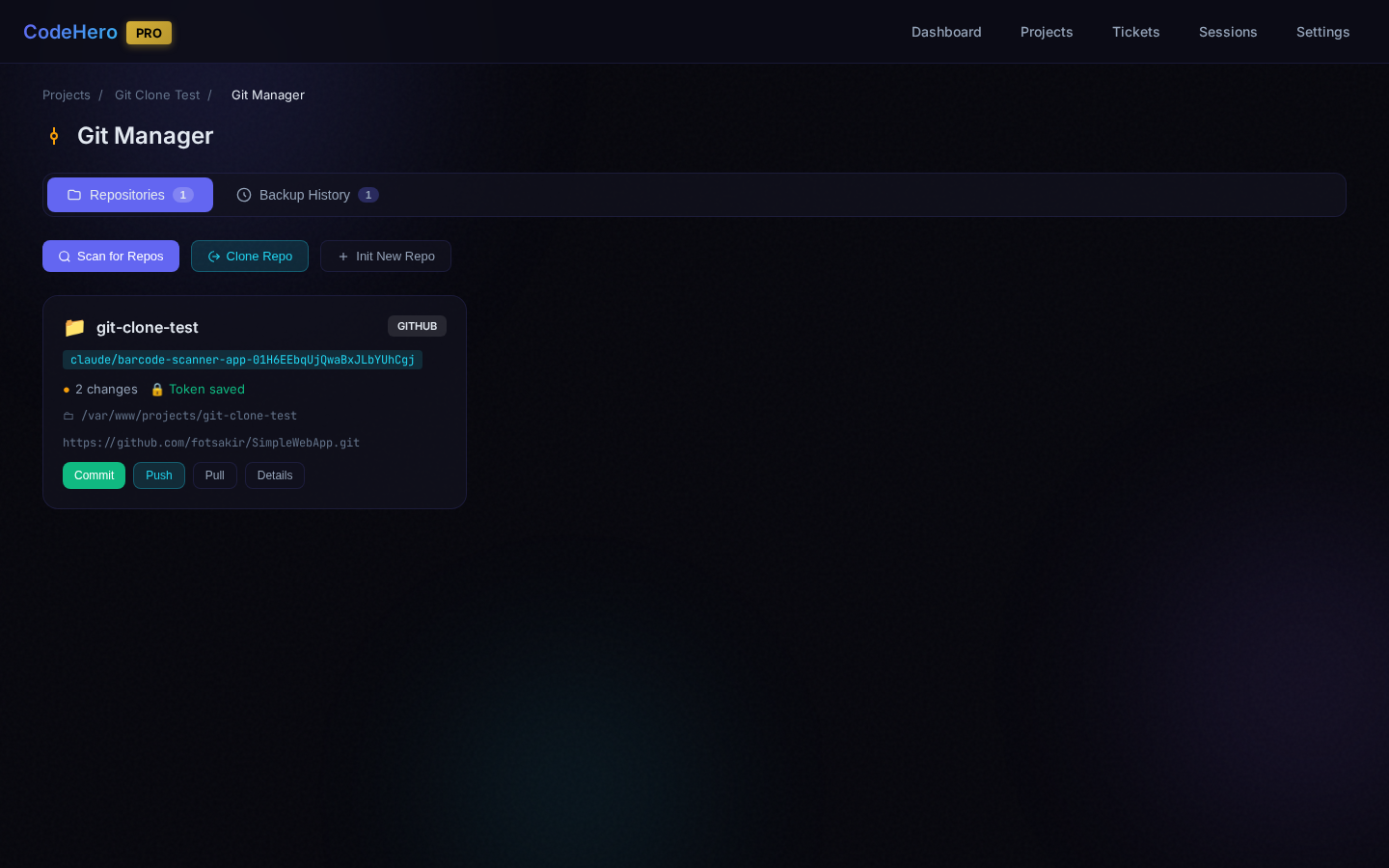
CodeHero automatically detects Git repositories in your project directory. Multiple repos per project are supported.
Clone & Init
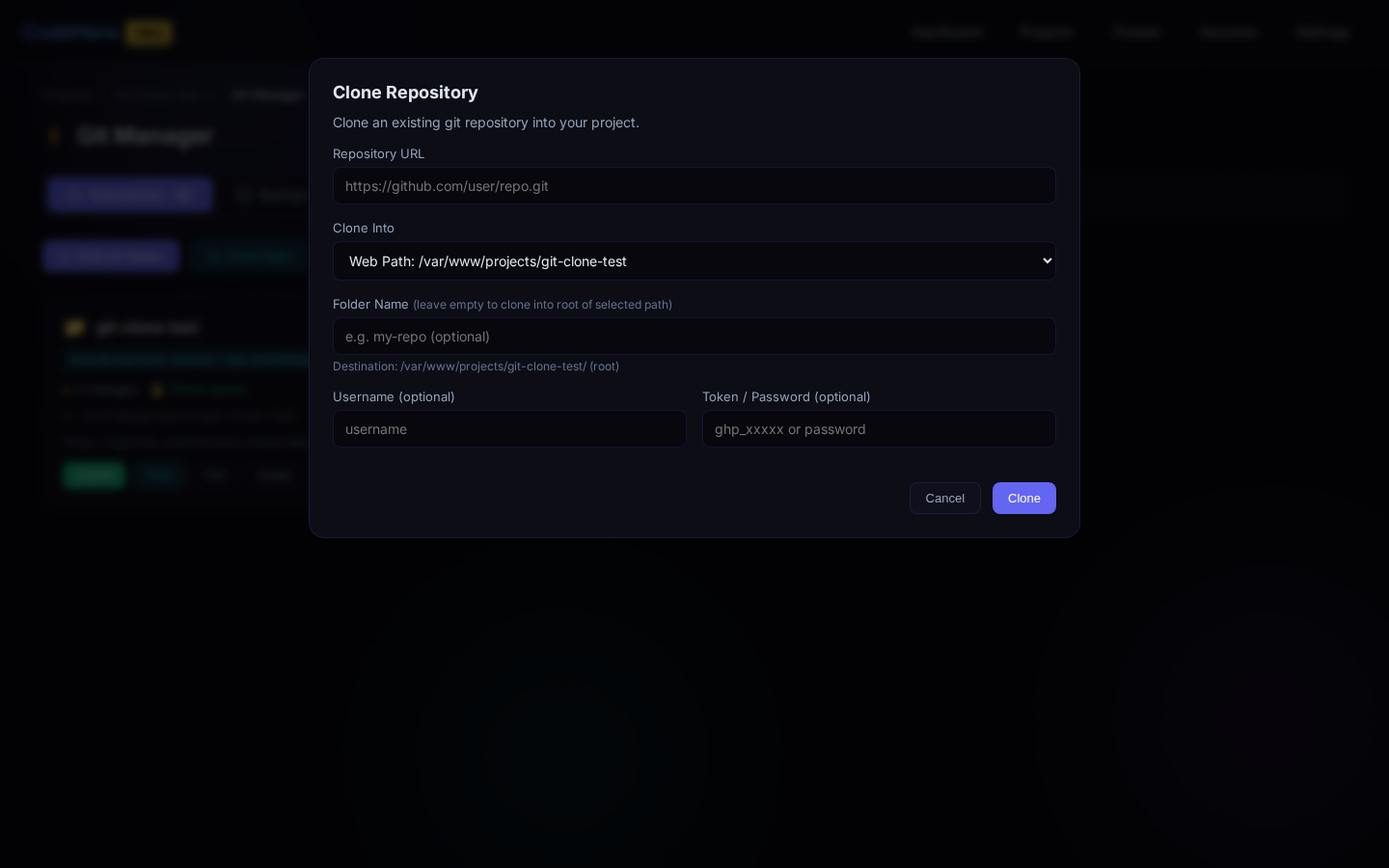
Clone remote repositories (HTTPS/SSH), initialize new repos, and store Git credentials per repository.
Clone over old files: tick Replace local files with the repository's files — a backup snapshot is taken first (without it nothing is replaced); optionally also delete local files that are not in the repository (ignored files such as .env always stay, and so does another repository inside the folder). The dialog shows each step live with its time (backup snapshot, fetch, checkout). Files of another user (served web files often belong to www-data) are taken over when the repository tracks them, so Git can replace them now and pull later; the others keep their owner. Remove repository (Settings → Danger zone) deletes that repository's .git and .gitignore in its own folder and its record with the saved credentials; other files and the project's other repositories stay.
Changes & Commits
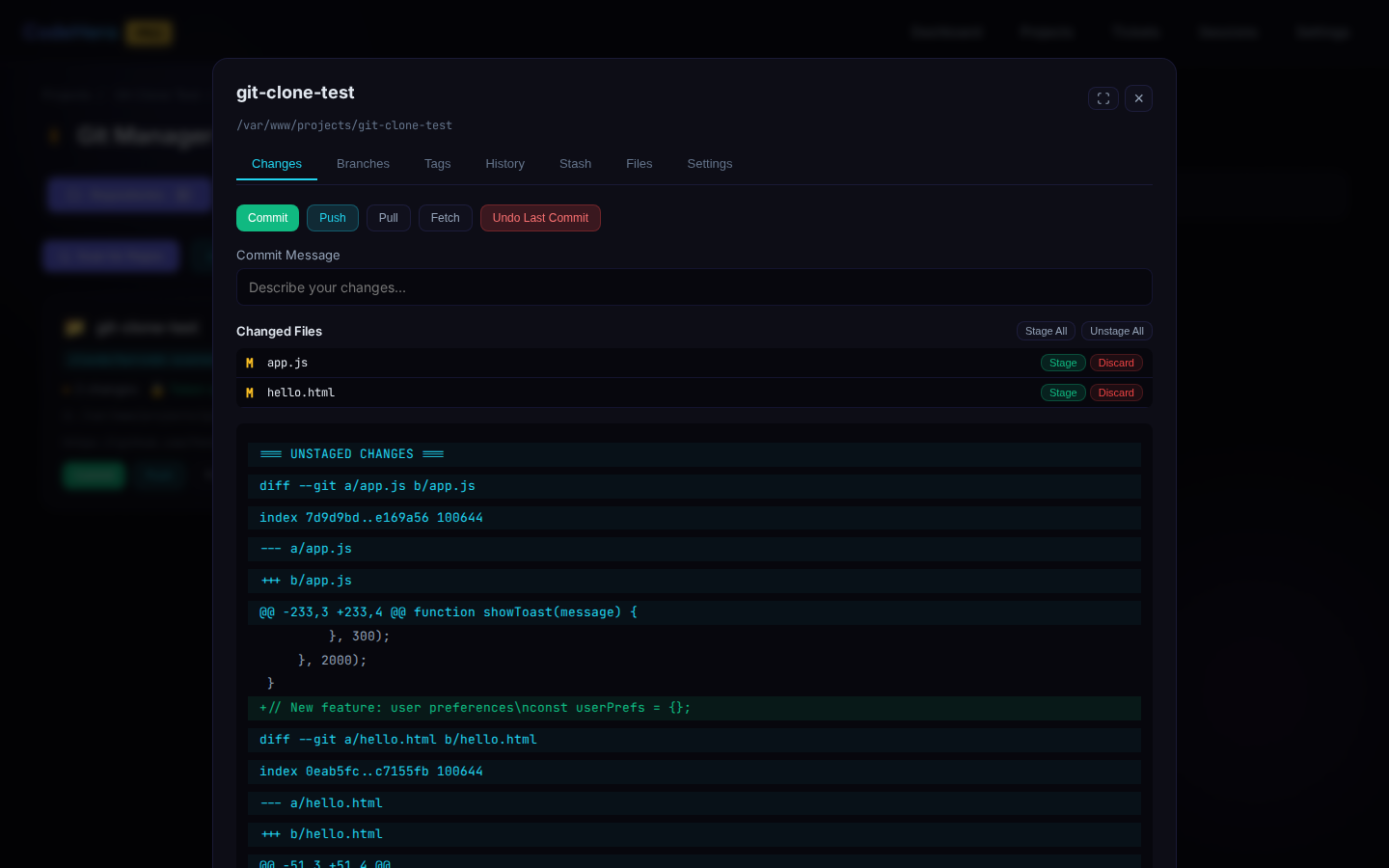
Laid out like an IDE's commit view: the changed files on the left, each with a tick — only the ticked files are committed (Commit / Commit and Push); an unticked file stays uncommitted, also after Refresh. Click a file to see it from the last commit to now on the right: Split = before | after side by side, Whole file shows the unchanged lines too, and fullscreen gives the view the whole screen. The diff viewer: one card per file (Added / Modified / Deleted / Renamed, +/− counts), old and new line numbers, the changed part of an edited line marked, Unified / Split (remembered), staged and not-staged changes apart, and Open in editor ↗. The same viewer is used in History and Backups.
Branches
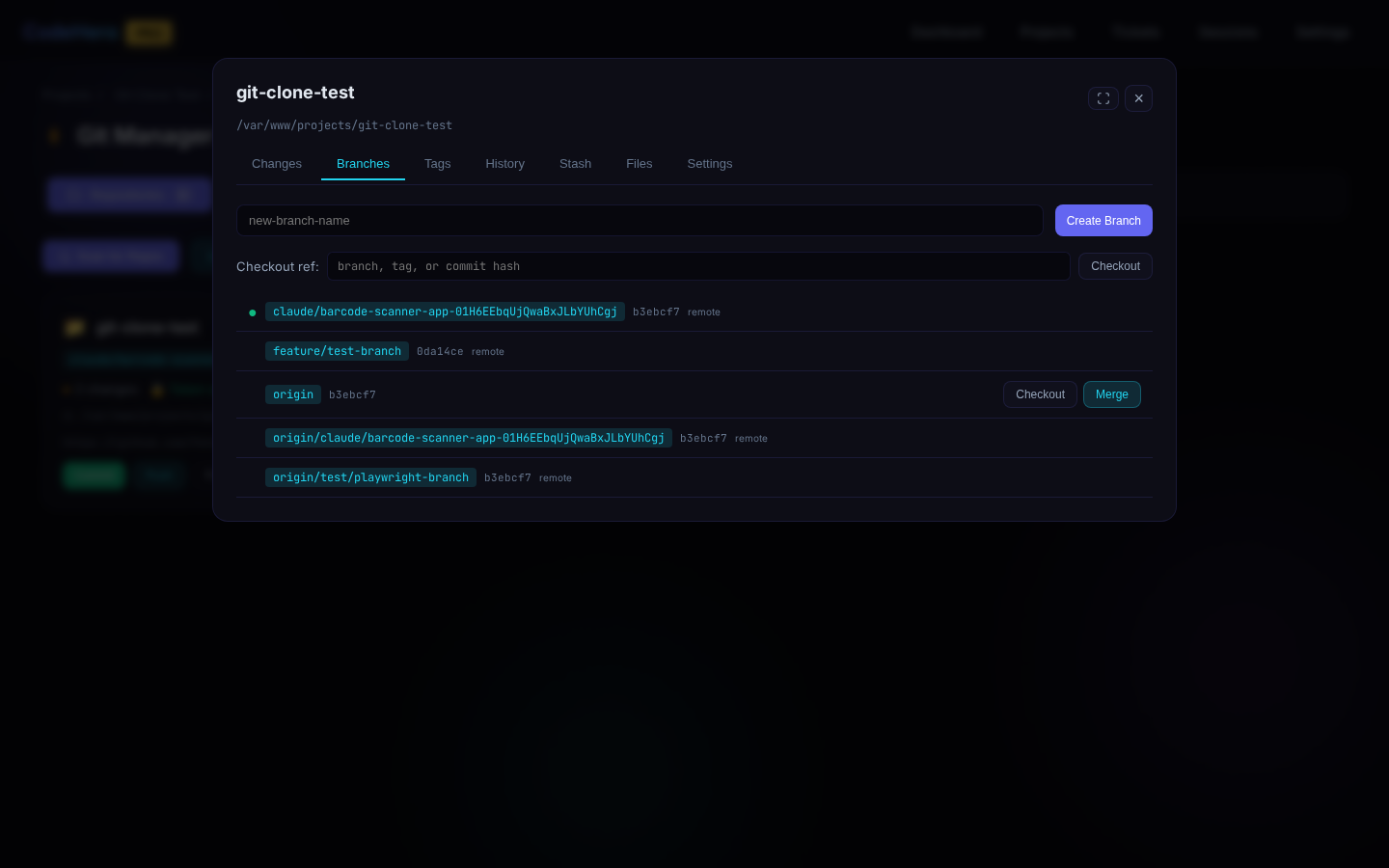
View local and remote branches, create, checkout, merge with conflict resolution, and delete. Checkout on a remote branch switches to (or creates) your local branch that tracks it. With no branch checked out (a tag or a commit), the card shows detached @<commit> and a notice offers Create branch here, so the commits made there can be pushed. Push creates a new branch on the remote and makes it track it; History marks a commit pushed when a remote branch has it.
Conflicts
When a merge or pull stops on conflicts, a Conflicts (N) tab appears. A banner says what is merged into what, and each file shows its conflict blocks side by side (ours = your current branch, theirs = the branch being merged) with the differing words marked and the lines around them.
- Keep ours / Keep theirs / Keep both — per block; Ours / Theirs everywhere — every block at once (the changes git merged on its own stay), then marked as resolved
- Edit ↗ — opens the file in the Code Editor at that block's line
- Mark as resolved — refused while conflict markers remain
- Commit the merge when all files are resolved, or Abort merge
<<<<<<< markers.Tags
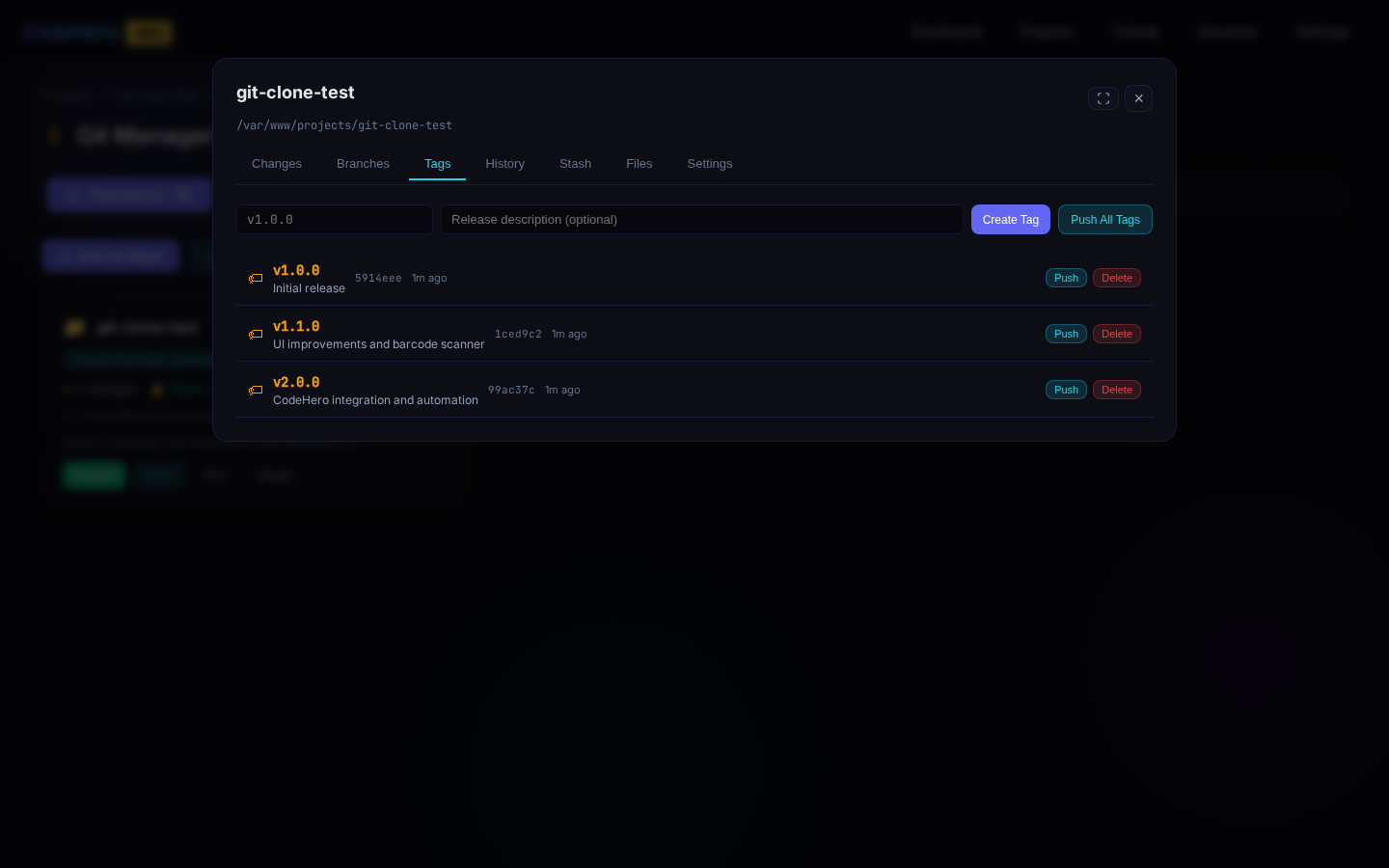
View, create (lightweight and annotated), push, and delete tags.
History
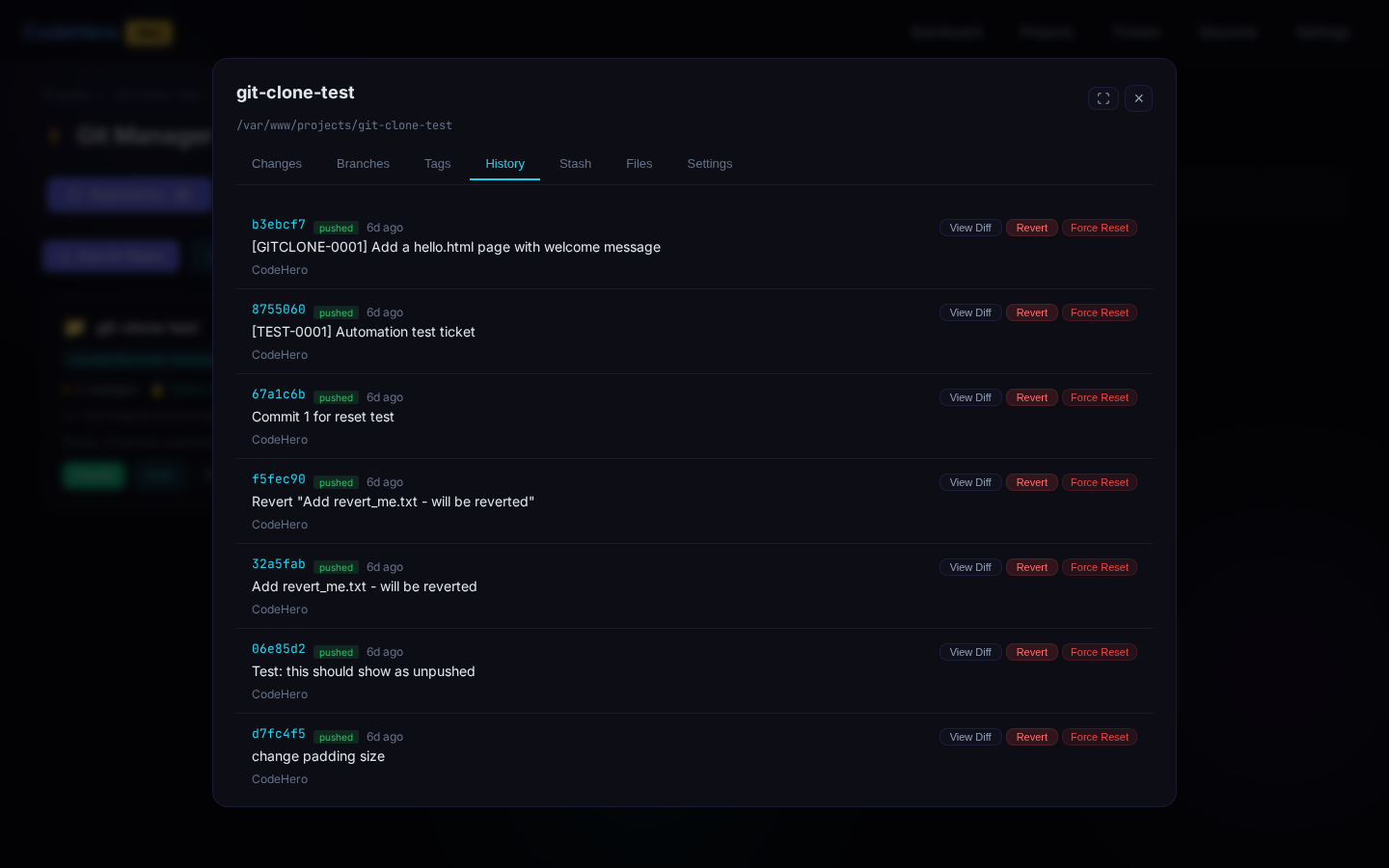
Commit log with author, date, message. Diff viewer per commit. Revert specific commits. Reset to any commit (soft/mixed/hard).
Stash
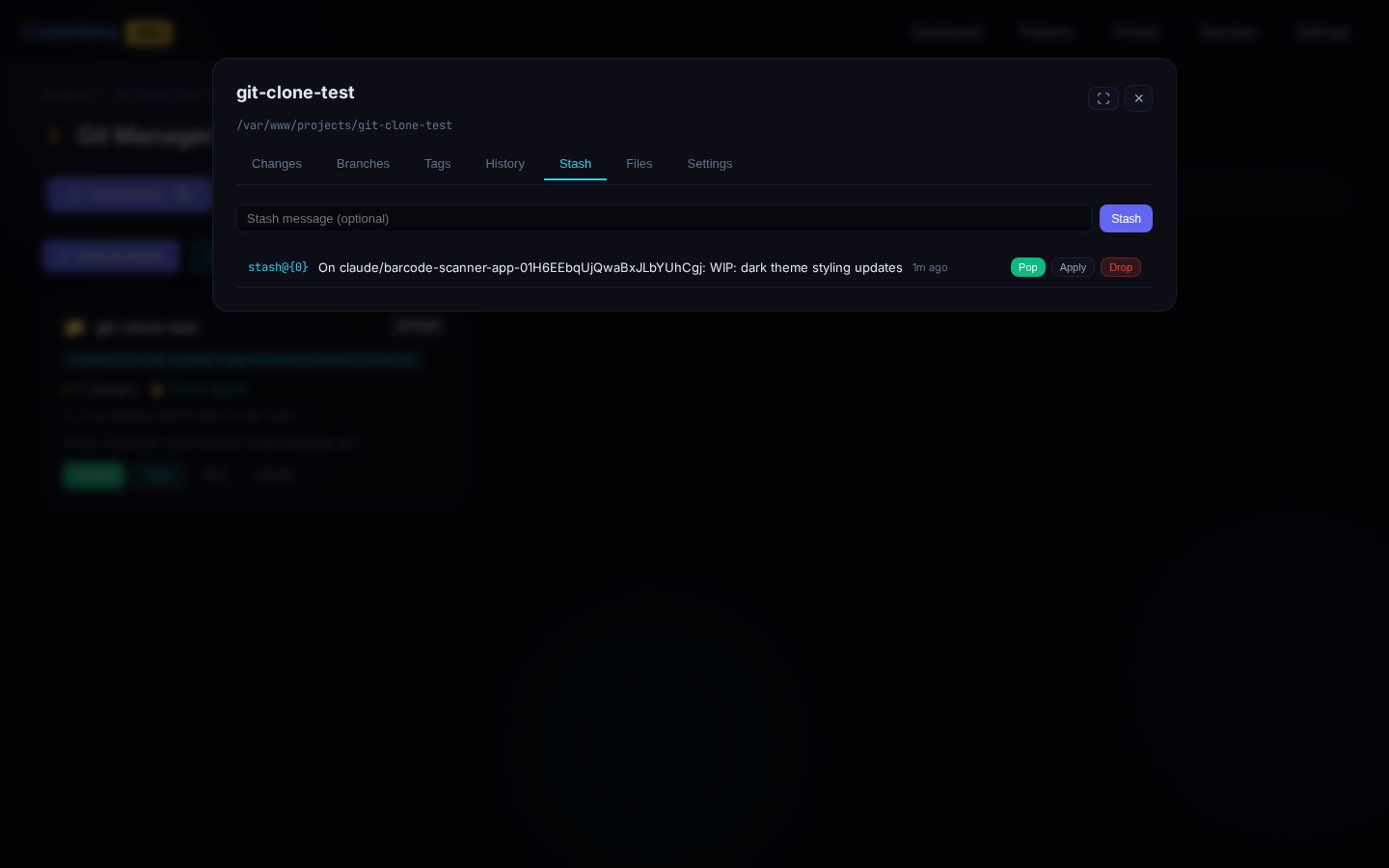
Stash current changes, list stashes, apply/pop, and drop.
Diff Viewer
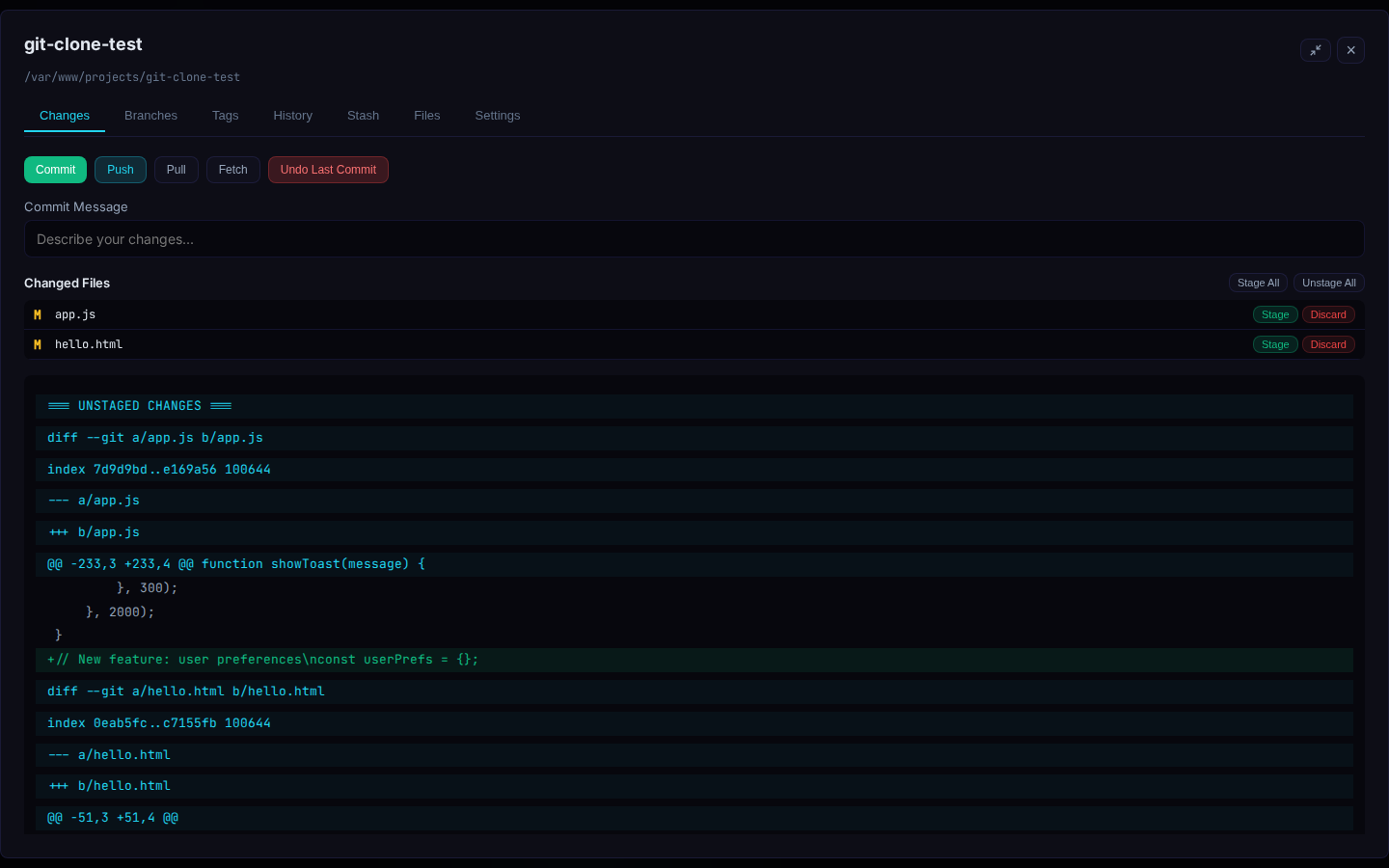
Full-screen diff with inline or side-by-side comparison, syntax highlighting, and line-by-line navigation.
Backup History
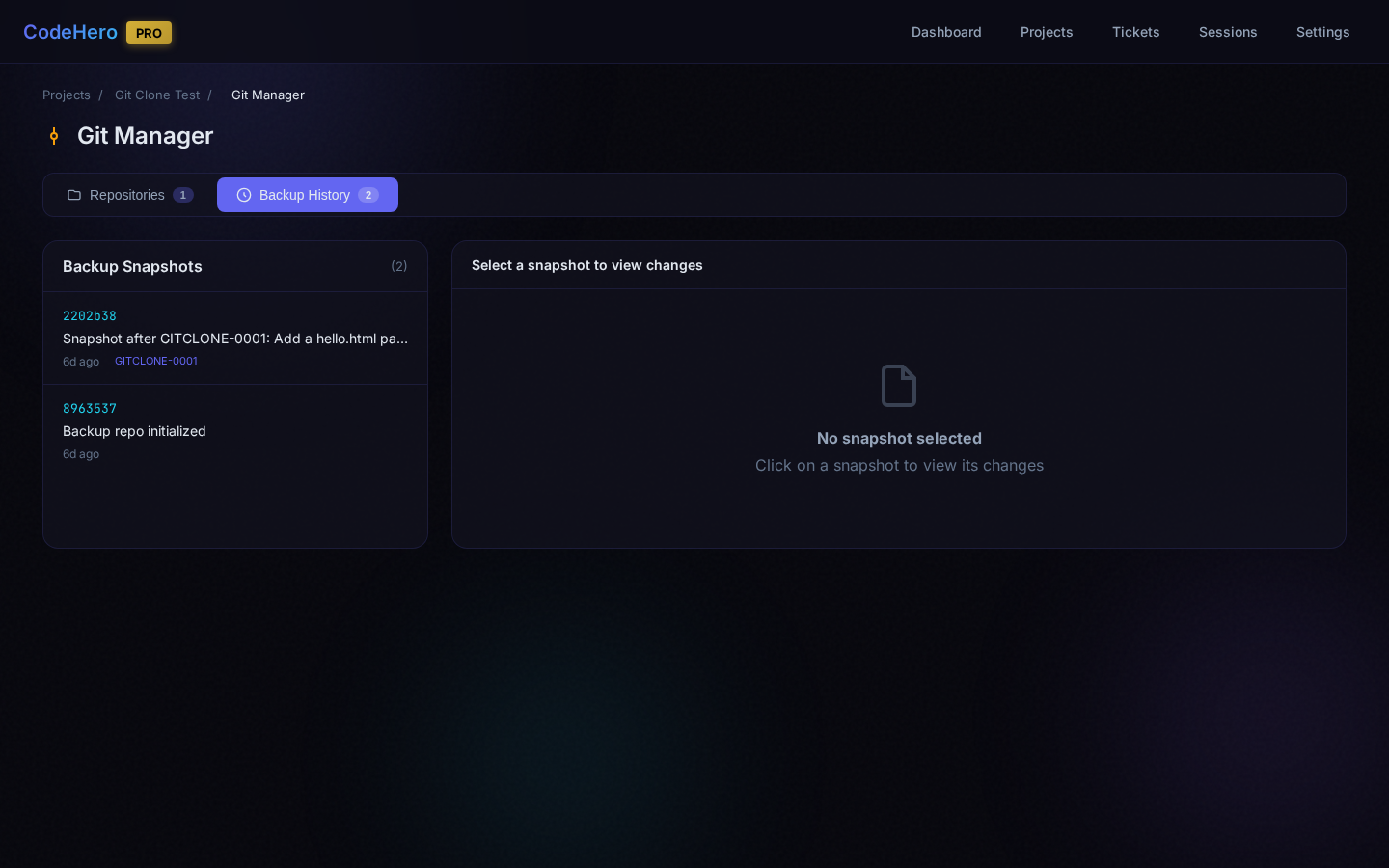
Auto-Commit & Auto-Push
Configure per repository: auto-commit when AI completes a ticket, auto-push after auto-commit.
Settings
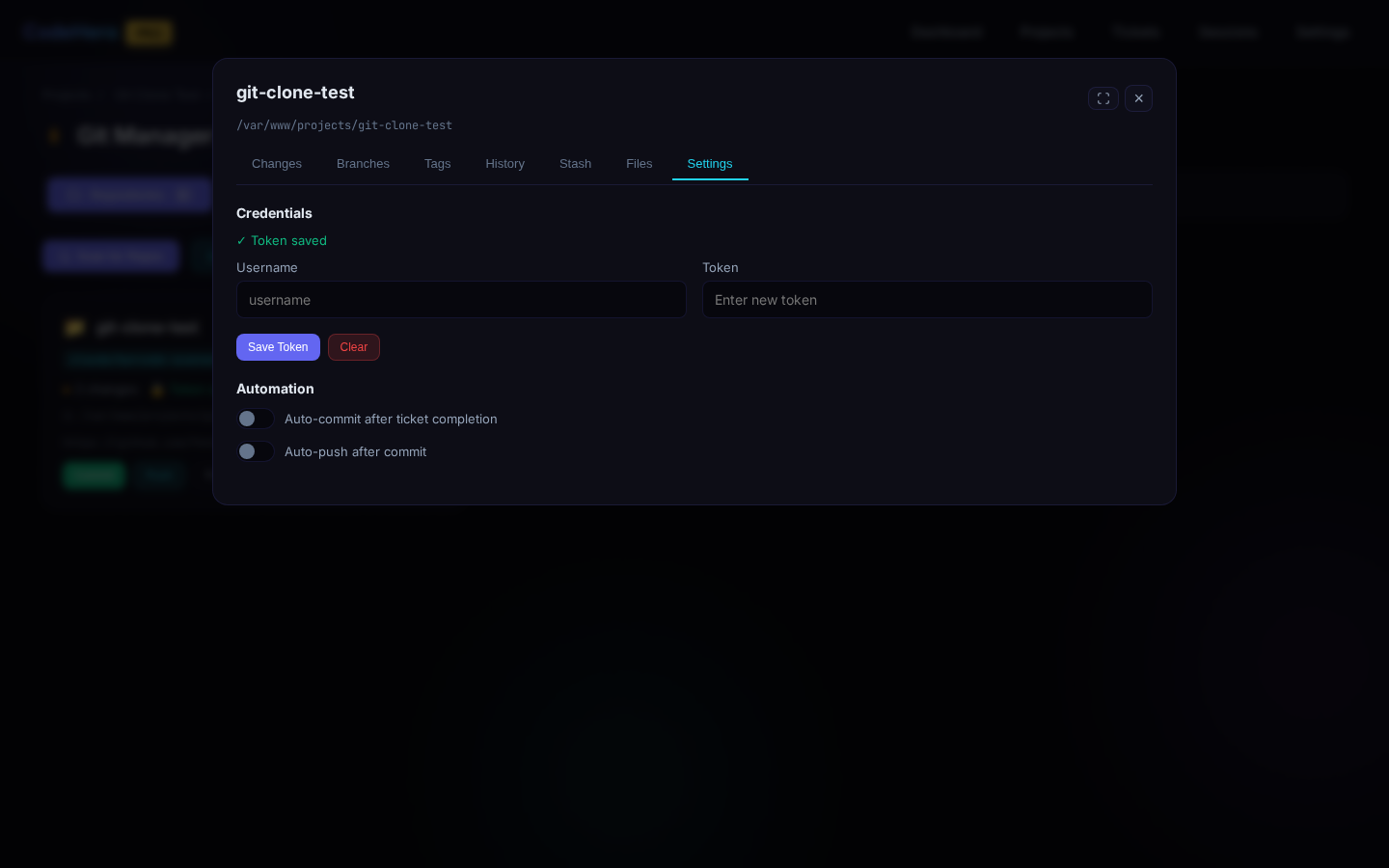
Remote URL management, credentials, auto-commit/auto-push toggles, default branch configuration.
20. Console (Real-time Output)
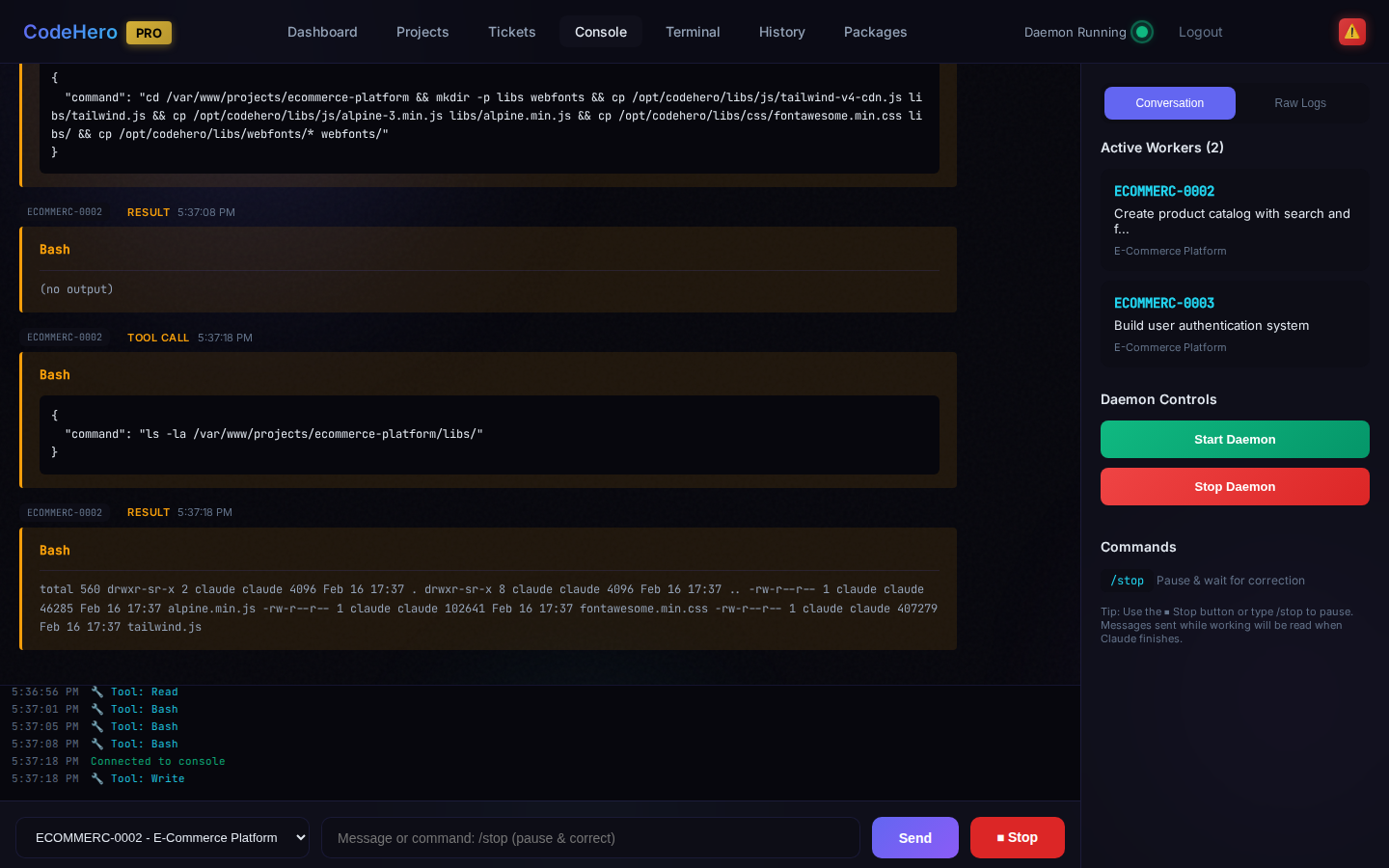
- Live streaming — See AI output as it happens
- Auto-scroll — Automatically follows new content
- Pause/Resume — Pause scrolling to read
- Color-coded — Different colors for different output types
21. Web Terminal
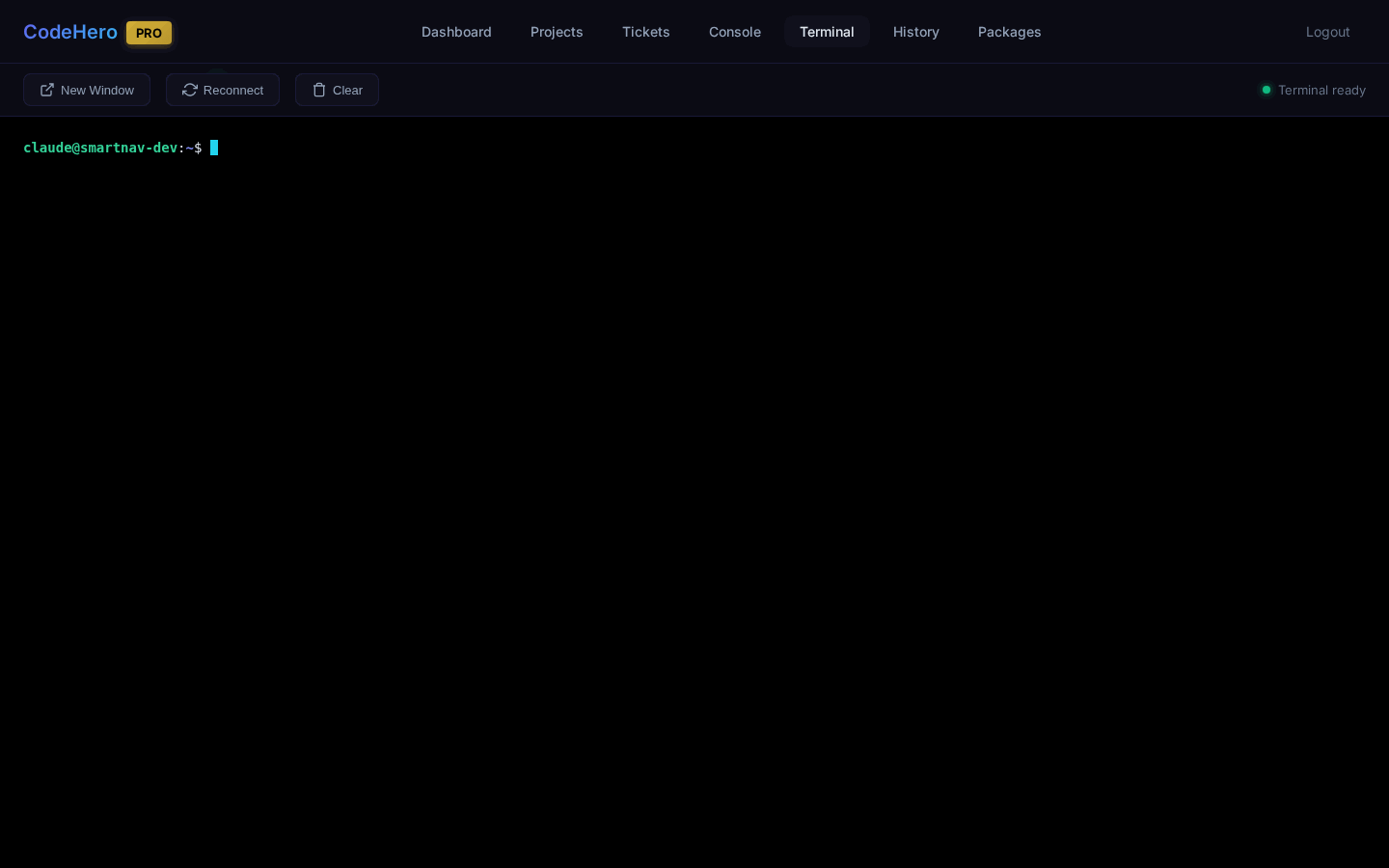
- Real shell access — Full PTY terminal via WebSocket
- Popup support — Open in popup for multi-monitor
- Full sudo access
- 256-color support with xterm.js
- Copy/paste — Standard clipboard operations
22. Package Manager
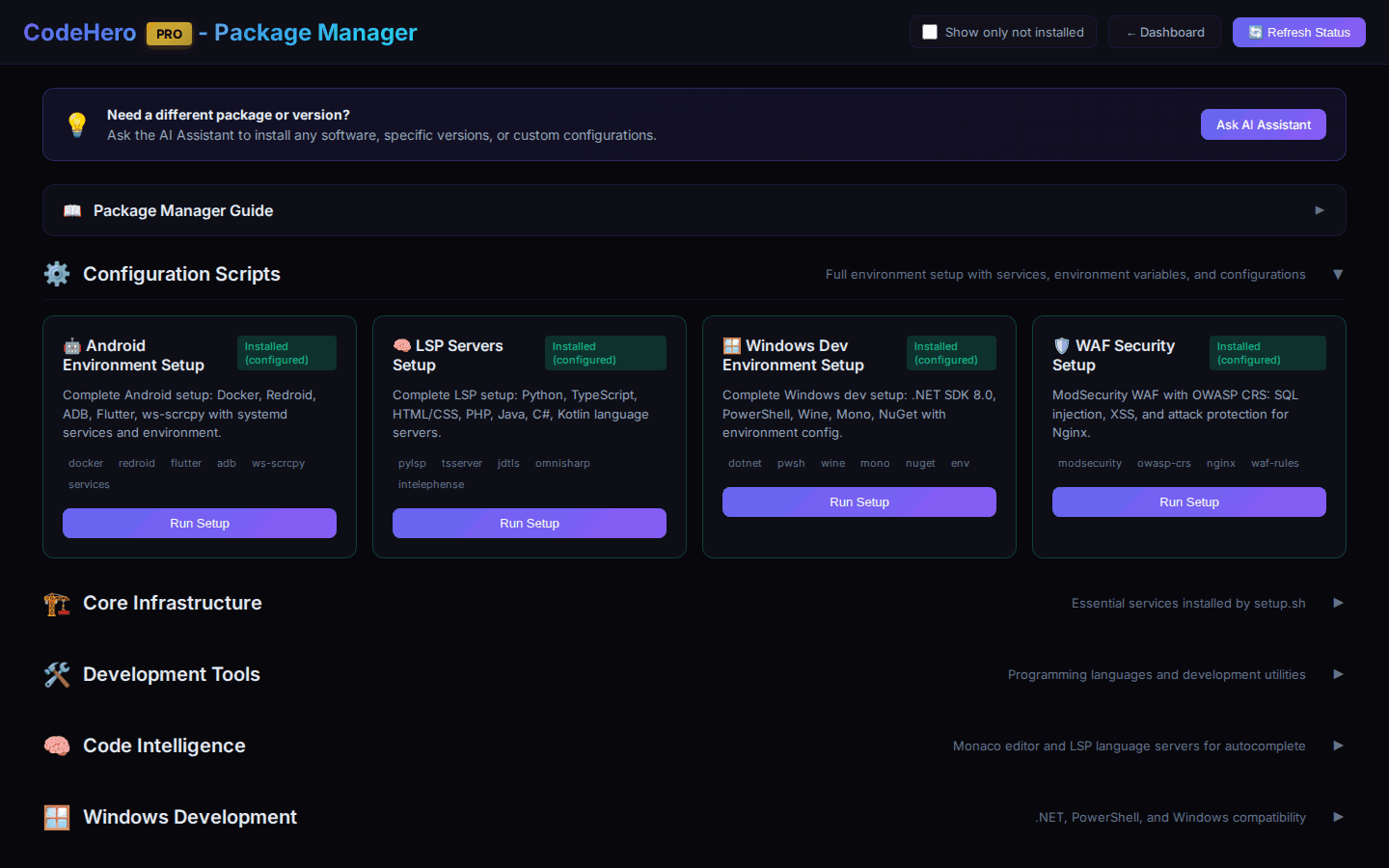
| Package | What It Installs |
|---|---|
| Development Tools | Node.js 22, Java (GraalVM 24), ffmpeg, ImageMagick, tesseract |
| Android Development | Docker, Redroid emulator, ws-scrcpy, ADB, Flutter, Gradle |
| Windows/.NET | .NET 8 SDK, PowerShell 7, Wine, Mono, NuGet |
| Code Editor LSP | Language servers for Python, JS/TS, PHP, Java, C#, Kotlin, HTML/CSS |
23. Session History
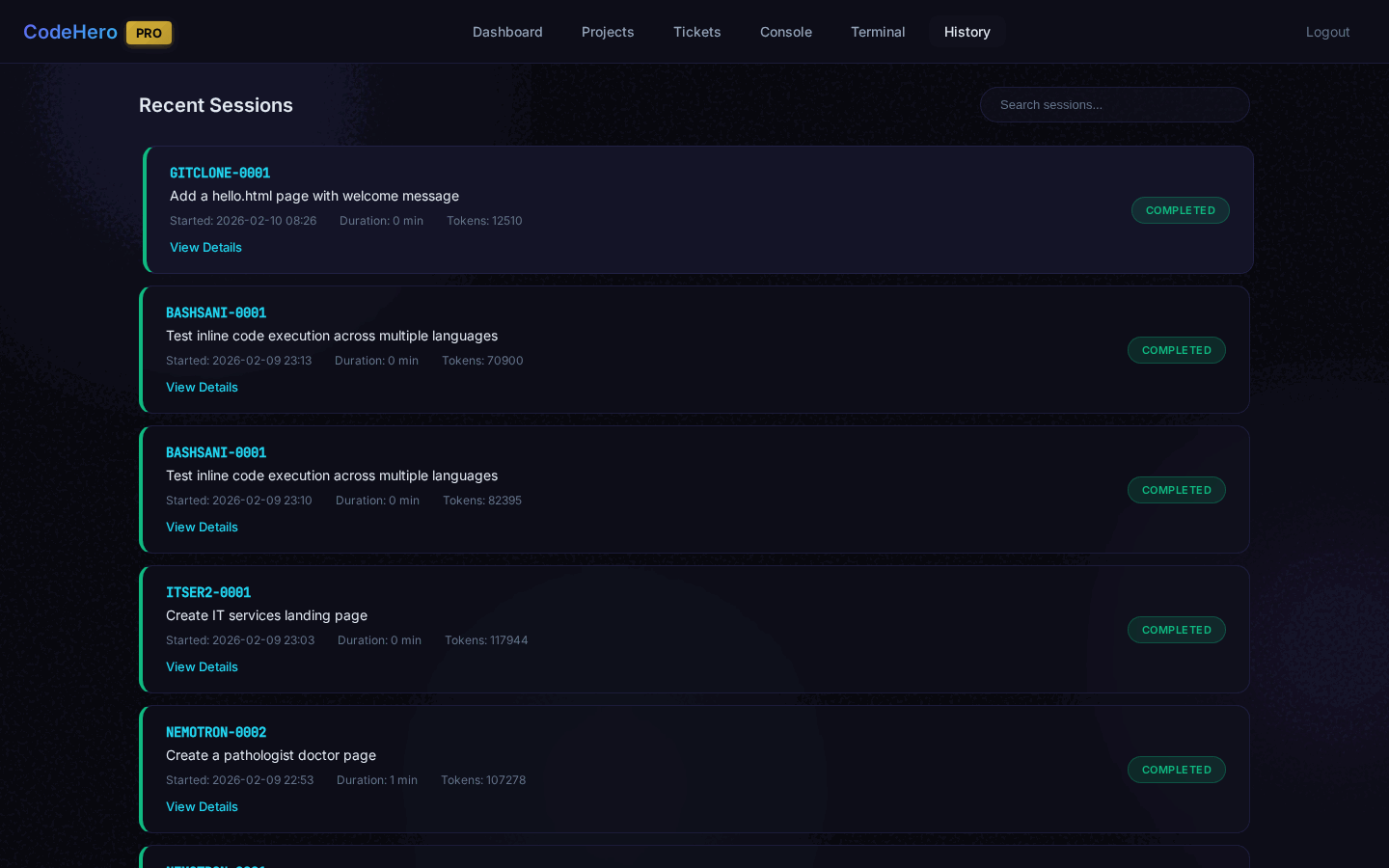
View all past AI execution sessions: start/end times, duration, exit codes (0 = success), associated ticket, token usage, and full session log. Filter by date, project, or status.
24. Project Progress
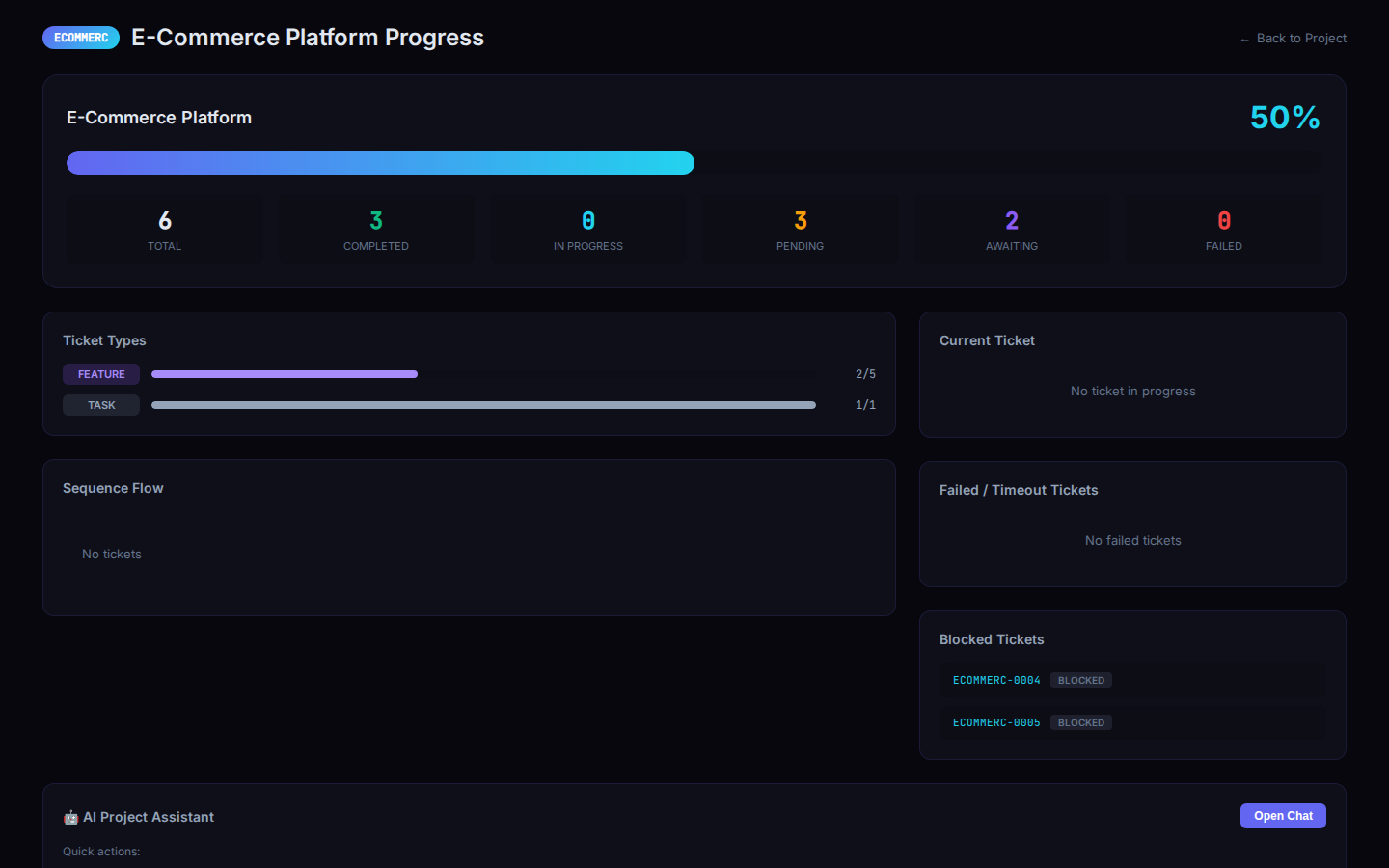
Visual overview: completion percentage, ticket counts by status/type, sequence flow visualization, model distribution, and built-in AI assistant for project-specific chat.
25. Kill Switch
Instantly stop the AI when it's working on a ticket.
You do not need to stop a ticket to talk to it. Write in the ticket page or the mobile chat and press Send while it works: the message goes at once and the agent reads it at its next step (Claude, Codex and every API provider), in the same run — like a message from another ticket. A message that arrives as the run ends re-opens the ticket, so nothing is lost. Use the Kill Switch only to stop the work.
| Method | How |
|---|---|
| Stop Button | A split button ⏸ | ⏹ appears next to Send when the ticket is in_progress; the red ⏹ half stops at once |
| /stop Command | Type /stop in the chat field |
Pause (⏸ or /pause) | Since v4.50.16: the ticket finishes its current step, stops what it started, notes where it is and waits (NEEDS THE USER: yes). Continue with /resume, «συνέχισε» or any message |
| AI Assistant | Ask: "Stop ticket PROJ-0001" |
What happens: the agent stops immediately together with everything it started (the Claude CLI or the Codex app server, their sandbox, the running command), ticket status changes to awaiting_input, you can provide new instructions or corrections.
Live Preview tab. It shows the project's page inside the panel. Since v4.50.10, when the app refuses to be shown inside another page (frame-ancestors 'none' or X-Frame-Options: DENY), the tab says so and offers Open in a new tab instead of staying empty. To see such an app there during development, let it allow the panel with CSP only: frame-ancestors 'self' https://<its own host>:<panel port> in development (never https://*:<panel port> — any host on that port could frame it; keep X-Frame-Options, browsers ignore it when frame-ancestors is present), 'none' in production.
26. AI Assistant
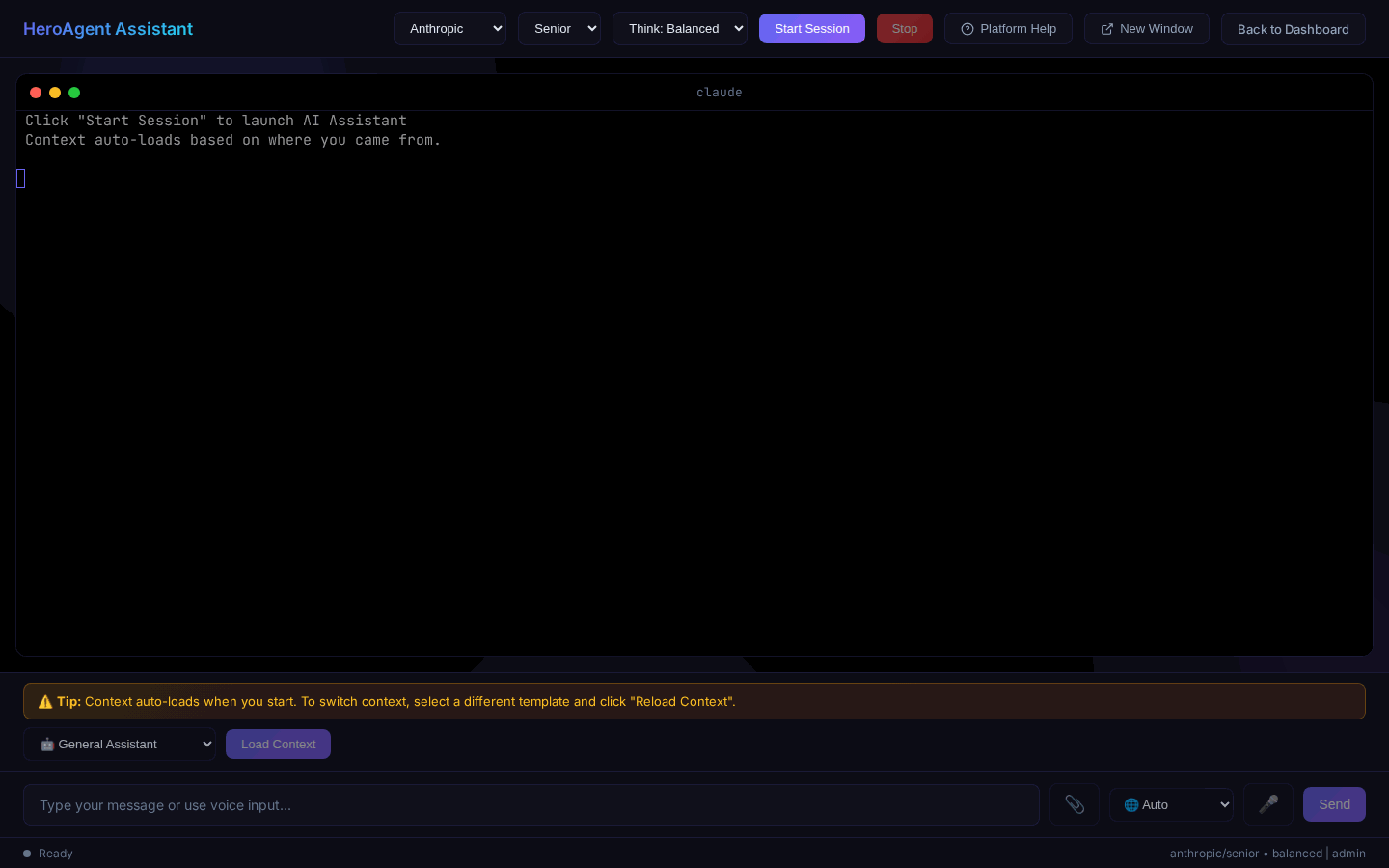
- Provider selection — Choose any active provider
- Model selection — Pick developer role
- Session management — Multiple chat sessions, saved history
- Popup window — Open in separate window
- Voice input — Speak instead of typing
- File upload — Share files with the AI
AI Project Manager
From the Projects page, click "Plan with AI" to start a guided project planning session. The assistant writes the specification with you (or imports a Spec Builder package), shows a preview with the settings, the day-0 inputs and the run settings, and after you confirm creates the project, its environment and exactly one ticket: the planning ticket ([PLAN] …). The planning ticket plans on the real installation — baseline, dry run, review rounds, and always an agreement with a [PEER] ticket (another provider family when one is active, otherwise the same provider) — asks you what came out of that in one batch, and creates the first phase of tickets (with [VERIFY] tickets on a different provider after risky work; a real project runs in phases that each end with a [REPLAN] ticket). A small change on an existing project is one ordinary build ticket, not a plan.
27. Telegram Notifications
Setup
- Create a Telegram Bot via @BotFather — send
/newbot, copy the token - Start a chat with your bot and send a message
- Get your Chat ID from
https://api.telegram.org/bot<TOKEN>/getUpdates - Configure in Settings — paste Bot Token and Chat ID, select notification types, Test & Save
Notification Types
| Event | Description |
|---|---|
| Awaiting Input | AI completed and needs review |
| Task Failed | Something went wrong |
| Watchdog Alert | Ticket appears stuck |
| A ticket asks me a question | Its report says NEEDS THE USER: yes (not a ticket waiting for another ticket, not your own pause) |
| Usage limit / credits used up | A provider's usage window or credits ran out — once per wait; the ticket retries by itself |
| Chain watch: a chain stopped | The hourly chain watch found a chain of tickets that stopped although work is left |
Send: Everything ticked above (as before) or Only when I'm needed — questions to you, stopped chains, usage limits, failures and stuck tickets only.
Chain Watch
Once an hour CodeHero looks at every project where work is left but nothing runs — only at the tickets that should run now (never a ticket out of turn) — and finds why the chain stopped: a ticket waiting for one that already ended or answered, a reply that was not acted on, a peer left open, a strict ticket nobody closed, a question to you, a failure with a passing cause. Settings → Chain watch: Off, Tell me what it finds (default) or Restart it when safe (wakes with a note or retries a passing failure, at most twice a day per ticket). It never touches a ticket you paused or stopped or one that asks you a question, and never closes, deletes or edits anything. Its small model (junior + basic) runs on the ticket's own provider, then on the next active provider of quick_call_failover in heroagent.conf.
Two-Way Communication
Reply directly to notifications from your phone. Start with ? for status queries without reopening the ticket.
28. Settings & Configuration
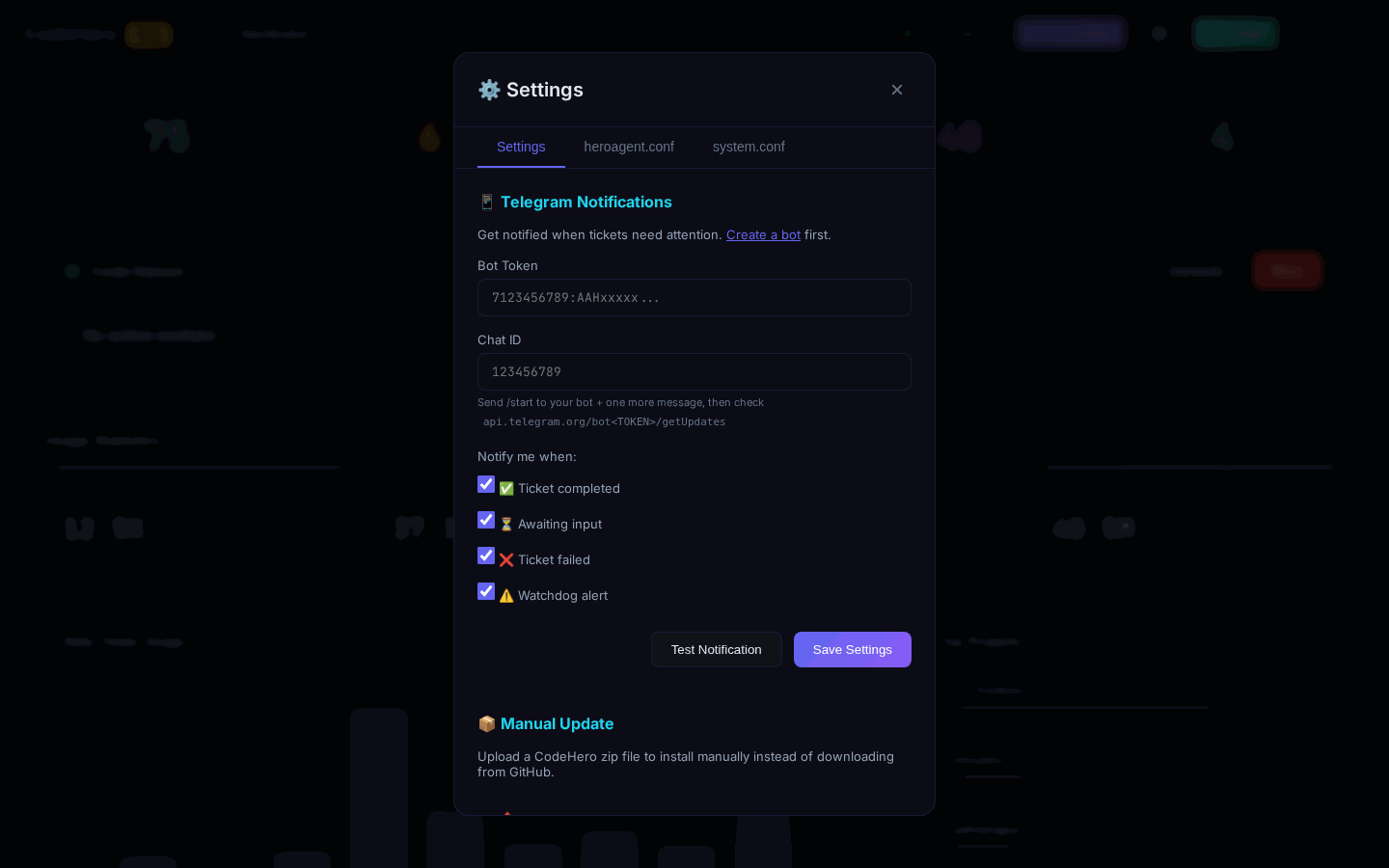
Access all configuration from the Settings button in the header. The modal has 7 tabs:
Settings (General)
- Dashboard password — Change the admin password
- Session timeout — Auto-logout after inactivity
- Theme — Dark mode (default)
- Provider API keys — Configure keys for Anthropic, OpenAI, Gemini, DeepSeek, Grok, GLM, OpenRouter
- Telegram — Bot token, Chat ID, notification preferences
License
View license status, activation date, and expiry. Enter or update your license key.
Certificates
- Self-signed — Auto-generated on install (default)
- Let's Encrypt — Request free SSL certificates for your domain
- Custom — Upload your own certificate and private key
Domains
Configure custom domains for the dashboard and web project previews. The system auto-configures Nginx virtual hosts.
heroagent.conf
Edit the main agent configuration file directly. Controls model aliases, token limits, provider settings, and daemon behavior. Auto-backup is created before each save.
system.conf
Edit system-level configuration: Nginx settings, PHP-FPM settings, and other server parameters.
Security
- Change Password — Update the dashboard admin password
- Two-Factor Authentication — Enable/disable 2FA with TOTP (Google Authenticator, Authy). Includes QR code setup and backup codes.
29. System Updates
Dashboard Update
- Download the release ZIP (
codehero-pro-release-X.Y.Z-x86_64.zip, or-arm64.zip) - Dashboard → Settings → 📦 Manual Update: drop the ZIP there (or click to select it)
- Click "Install Update"
- Watch real-time console output
- Page auto-reloads on success
CodeHero PRO does not download updates by itself — the old download from GitHub was removed in v4.55.1.
Command Line Update
cd /root
# Extract the ZIP file provided with your CodeHero PRO license
sudo apt-get update && sudo apt-get install -y unzip    # a fresh Ubuntu has no package lists yet
unzip codehero-pro-release-4.60.3.zip
cd codehero
sudo ./upgrade.sh| Option | Description |
|---|---|
--dry-run | Preview changes without applying |
-y, --yes | Auto-confirm all prompts |
Backup and rollback (v4.54.1+)
Before it changes anything, the upgrade saves a folder /var/backups/codehero/upgrade-<old version>-<time>/, readable by root only: the program (opt-codehero.tar.gz), the settings of /etc/codehero (etc-codehero.tar.gz) and the platform database (database.sql.gz), with the commands to go back in ROLLBACK.txt. The newest 5 are kept. The upgrade also keeps the logs in bounds: the platform's logs (/var/log/codehero/*.log) are rotated daily and kept 7 days, the system journal keeps at most 500 MB, and logrotate is installed when the server has none.
30. Config File Editor
Edit system configuration files directly from the web interface:
- heroagent.conf — Main agent configuration (providers, models, tokens)
- Nginx config — Web server settings
- PHP config — PHP-FPM settings
Features: syntax-highlighted editor, auto-backup before saving, restore from backup, validation before apply.
31. Container Isolation (LXC)
Run each project in its own LXC container with a full service stack. Since v4.6.3, containers include a Service Manager for installing web apps, databases, and caches from a built-in catalog.
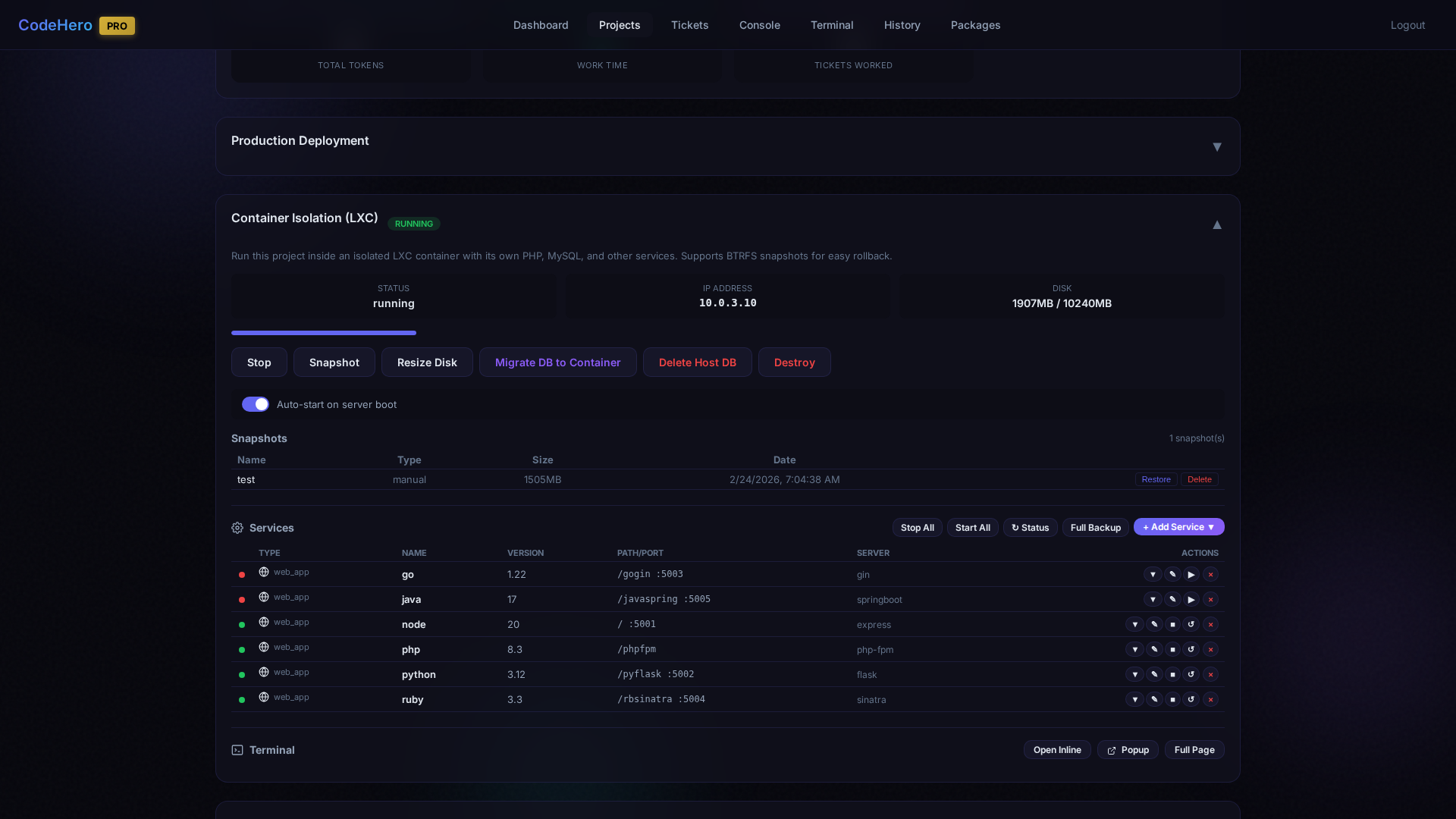
Setting Up a Container
- Go to Project Detail page
- Scroll to Container Isolation (LXC) section
- Select Base Image (Ubuntu 24.04 recommended), Disk Size (5-100 GB; databases, test suites and snapshots fill 10 GB fast)
- Optionally enable Auto-Snapshot and DB Migration
- Click "Create Container"
Container Management
| Action | Description |
|---|---|
| Start / Stop | Boot or gracefully shut down the container |
| Resize Disk | Grow (or shrink) the BTRFS volume, 1-100 GB. It takes a snapshot first, stops the container for a few seconds, resizes, checks the new size and starts the container again — even if a step fails. The restart empties the container's /tmp, as any reboot does |
| Snapshot | Instant BTRFS snapshot with automatic DB freeze |
| Migrate DB | Move host database into the container |
| Destroy | Remove container and all data |
| Auto-start on server boot | Toggle to automatically start the container when the server reboots (enabled by default) |
Snapshots
BTRFS snapshots provide instant backup and restore, in three tabs:
| Tab | What is in it | Deleted |
|---|---|---|
| Automatic | The snapshot taken before a ticket's first run | The newest 20 are kept (any number; 0 = all) — older ones go one at a time, only while no ticket of the project runs |
| Kept | The snapshots you create, the one before a Resize Disk, and every 📌 kept one | Never automatically — only by your Delete |
| Safety | The copy taken right before every restore, so a restore can be undone | The newest 5 are kept |
- 📌 Keep moves an automatic snapshot to Kept; Unpin moves it back.
- Restore rolls the container back, services and databases included; a Safety snapshot of the current state is taken first.
- Delete while a ticket of the project runs asks: delete now (it may slow the ticket down), or when no ticket runs.
- hold ≈ (next to the count, v4.55.0+) = what deleting all of them would give back — more than the sum of the per-row sizes: data that several snapshots share is in none of them alone.
- After the upgrade to 4.51.0, a project with more than 20 automatic snapshots shows a banner: pin the ones you want to keep; Apply now deletes the rest at once; otherwise the limit applies by itself 7 days after the upgrade.
Databases in a snapshot. Just before a snapshot each running database is flushed — by its service's pre_snapshot.sh (in /opt/services/<service>/, beside backup.sh; post_snapshot.sh runs right after), or the same built-in command for a service without one: MySQL/MariaDB FLUSH TABLES, PostgreSQL CHECKPOINT, MongoDB fsync, Redis SAVE, SQL Server CHECKPOINT. Nothing is locked and nothing can hold the snapshot up: a stopped database or container is skipped, every step has a time limit, a failure is only logged. A snapshot is consistent even without them — taken in an instant, like a power cut, after which every database recovers on its own; the flush only makes that recovery quick.
Disk space. A snapshot holds the old versions of the files that changed since it was taken — the limit keeps that bounded. Since v4.50.8 MySQL in a new container runs without binary logs: a development container replicates nothing, and MySQL 8 kept them for 30 days — gigabytes on a project whose tests rewrite the database, kept again by every snapshot. The upgrade never changes an existing container; to switch them off in one, run in its Terminal:
printf '[mysqld]\nskip-log-bin\n' > /etc/mysql/mysql.conf.d/zz-codehero-dev.cnf
systemctl restart mysql
rm -f /var/lib/mysql/binlog.[0-9]* /var/lib/mysql/binlog.index
Log limits. Since v4.54.3 a new container keeps its logs bounded: logrotate runs every day (so the rules that nginx, PHP and MySQL ship take effect), the app's own logs — logs/, storage/logs/ and var/log/ in the project folder, and pm2's — are rotated daily with the last 7 kept, and the system journal keeps at most 200 MB. The upgrade never changes an existing container; to add log limits to one, run in its Terminal (the paths cover the default project folders):
apt-get install -y logrotate
systemctl enable --now logrotate.timer
mkdir -p /etc/systemd/journald.conf.d
printf '[Journal]\nSystemMaxUse=200M\n' > /etc/systemd/journald.conf.d/codehero.conf
systemctl restart systemd-journald
cat > /etc/logrotate.d/codehero-app <<'EOF'
/var/www/projects/*/logs/*.log /var/www/projects/*/storage/logs/*.log /var/www/projects/*/var/log/*.log /opt/apps/*/logs/*.log /opt/apps/*/storage/logs/*.log /opt/apps/*/var/log/*.log /home/claude/.pm2/logs/*.log {
    daily
    rotate 7
    missingok
    notifempty
    compress
    delaycompress
    copytruncate
    su root root
}
EOF
chmod 644 /etc/logrotate.d/codehero-app
Each installed package brings its own rule — one per PHP version (php7.4-fpm, php8.4-fpm …), MySQL/MariaDB, PostgreSQL, Redis, nginx. MongoDB brings none; a new MongoDB install gets one, and in an older container with MongoDB add it with:
grep -rqs /var/log/mongodb /etc/logrotate.d/ || { printf '%s\n' '/var/log/mongodb/*.log {' ' daily' ' rotate 7' ' missingok' ' notifempty' ' compress' ' delaycompress' ' copytruncate' ' su mongodb mongodb' '}' > /etc/logrotate.d/mongodb-codehero && chmod 644 /etc/logrotate.d/mongodb-codehero; }Container Services
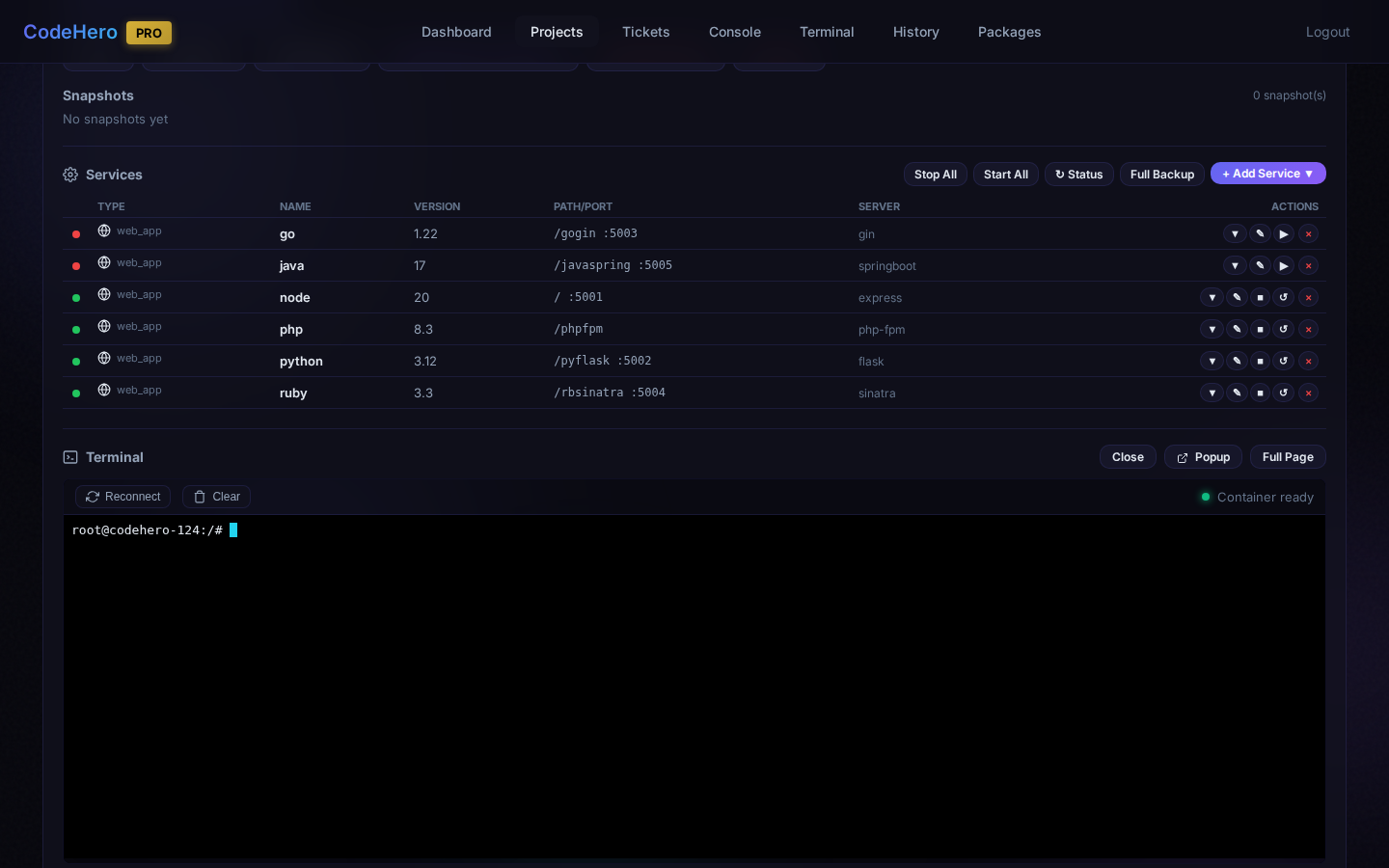
The Service Manager (v4.6.3+) lets you install, control, and manage services inside the container without touching the command line.
Every ticket of a container project receives the services with their ports, logins and scripts — and, since 4.60.2, every language runtime installed in the container, each version with the exact command to call it (node22 · npm22 · npx22 and its folder, python3.12, php8.3 with its FPM socket, go1.22, ruby3.3, Java's JAVA_HOME, dotnet). Several versions can be installed side by side, and a plain node may not exist: the list says which plain names work and how to put a version's folder on the PATH for a command or the test runner.
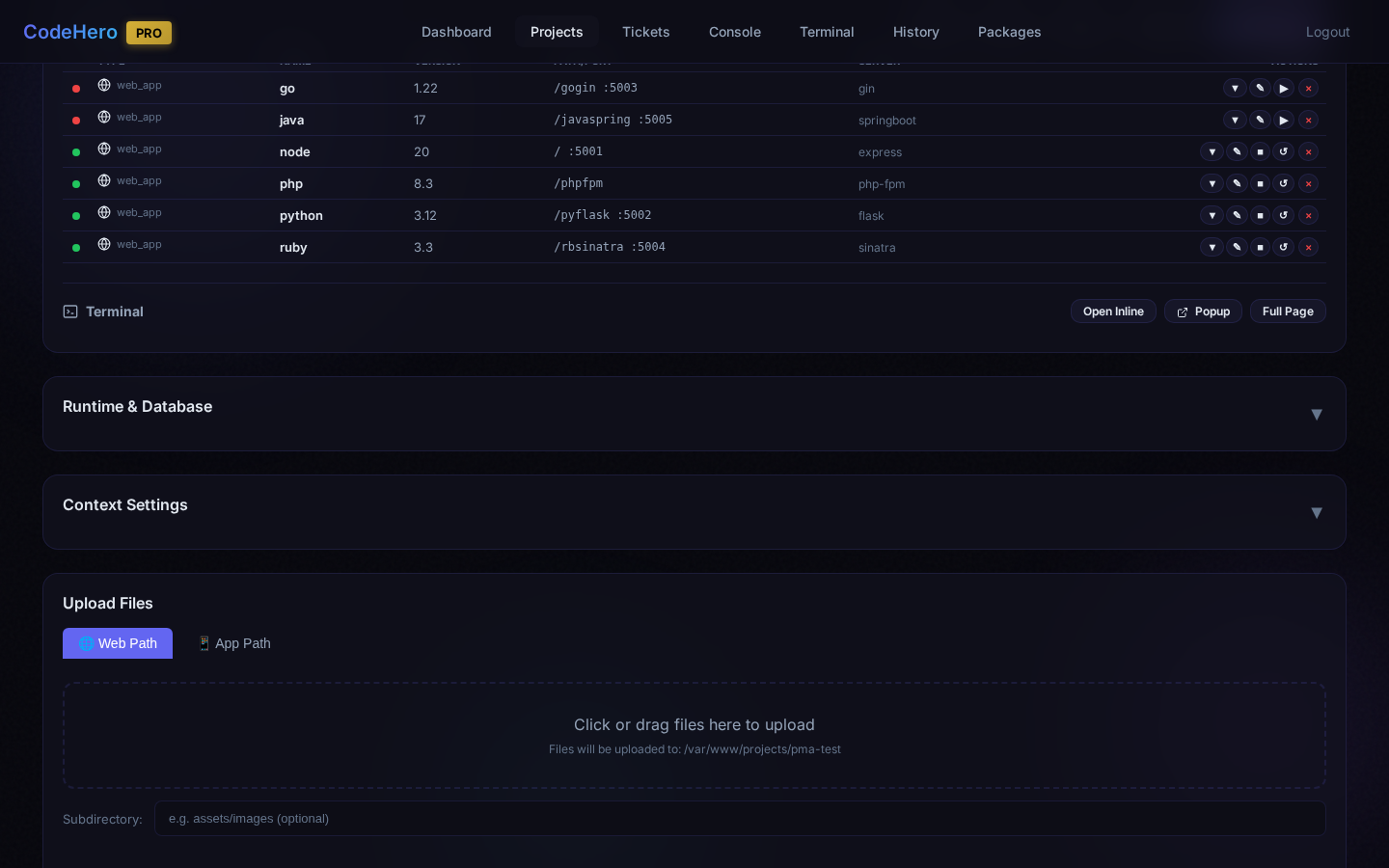
Installing Web Apps
- Click "+ Add Service" → Web App
- Select Language, Version, Server/Framework, and Path
- Click Install
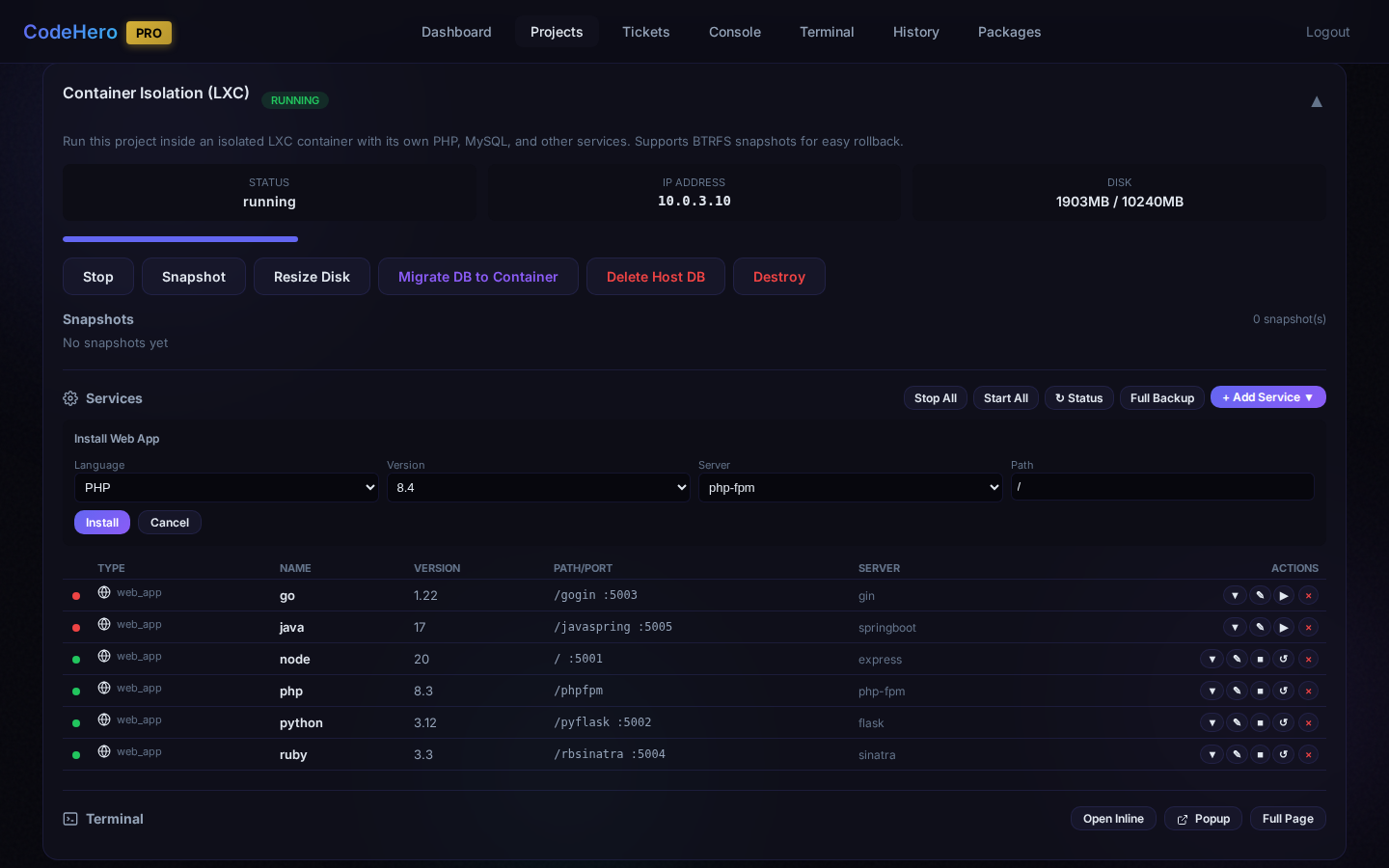
Supported Languages & Frameworks
| Language | Versions | Frameworks |
|---|---|---|
| PHP | 7.4 – 8.4 | php-fpm, Laravel, Symfony, WordPress |
| Python | 3.8 – 3.13 | Flask, Django, FastAPI, Gunicorn, uWSGI |
| Node.js | 18, 20, 22 | Express, NestJS, Next.js, PM2 |
| Go | 1.21 – 1.23 | Gin, Echo, Fiber |
| Ruby | 3.2 – 3.4 | Puma, Rails, Sinatra |
| Java | 8, 11, 17, 21 | Spring Boot, Tomcat |
| .NET | 6.0 – 10.0 | Kestrel |
Installing Databases & Caches
- Click "+ Add Service" → Database
- Select Database type and Version
- Click Install
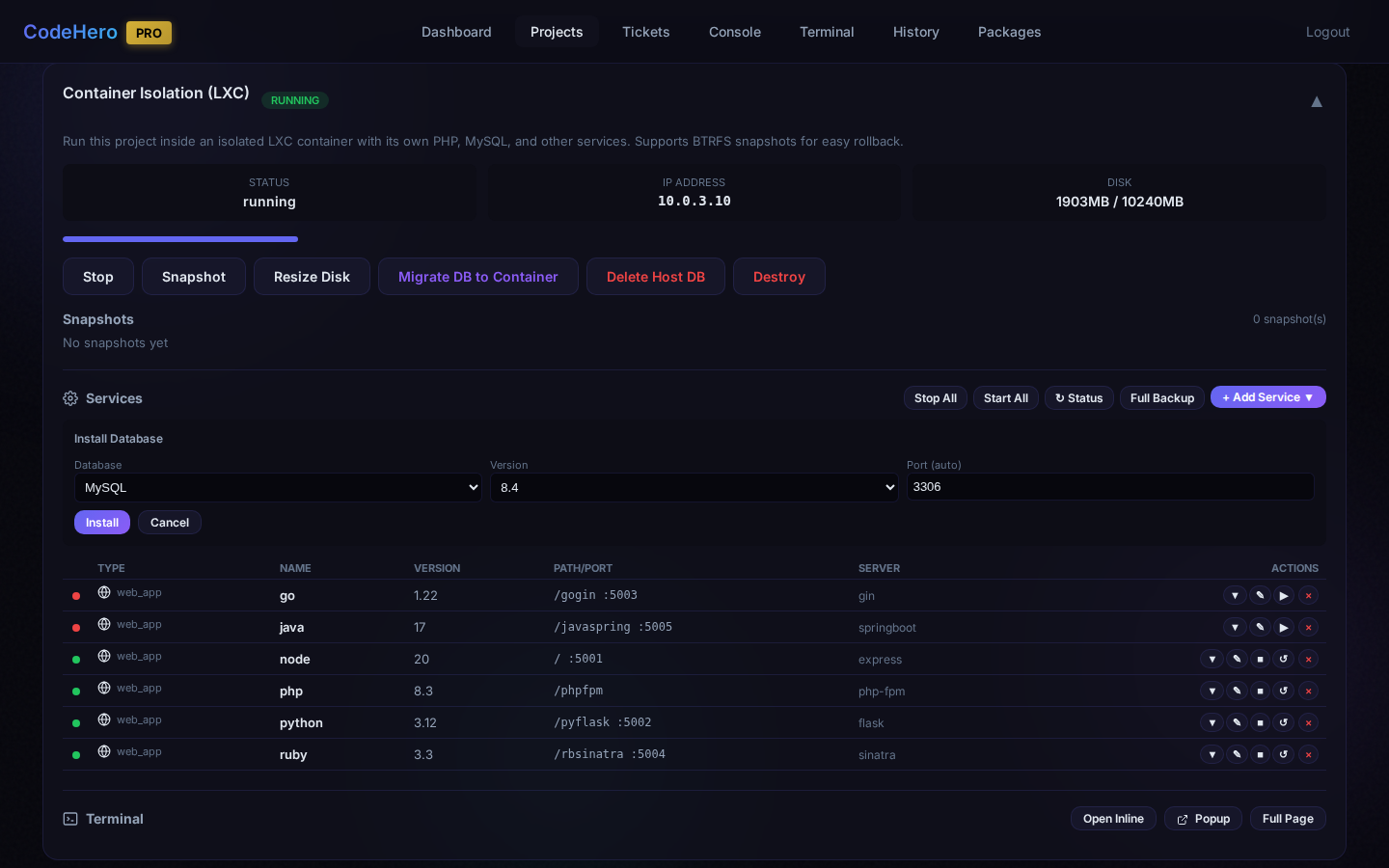
Supported Databases
| Database | Versions | Port | DB manager (🗄️) |
|---|---|---|---|
| MySQL | 5.7, 8.0, 8.4 | 3306 | phpMyAdmin |
| MariaDB | 10.11, 11.4 | 3306 | phpMyAdmin |
| PostgreSQL | 14 – 17 | 5432 | Adminer |
| MongoDB | 8.0 | 27017 | Adminer |
| MSSQL | 2022, 2025 | 1433 | Adminer |
DB manager (v4.52.0+): the 🗄️ icon of a database service opens it in a tool on the server, never
inside the container — phpMyAdmin at https://<server>:9454/ for MySQL / MariaDB, Adminer at
https://<server>:9454/dbmanager/ for PostgreSQL, MSSQL and MongoDB. Two MySQL services on different
ports each open their own. Both open only from the panel, with a one-time token (60 seconds, used once)
— never a user or password in the URL; opened any other way they show no login form.
Caches
| Cache | Version | Port | Persistence |
|---|---|---|---|
| Redis | 7 | 6379 | RDB snapshots |
| Memcached | 1.6 | 11211 | None (memory only) |
Service Control
Each service has action buttons: Start, Stop, Restart, Delete. Bulk actions at the top: Stop All, Start All, Refresh Status, Full Backup.
Database Backup & Restore
Database services support Backup (timestamped native format; since v4.55.0 a MySQL / MariaDB backup keeps the stored procedures, functions and events too — a service added before 4.55.0 as well) and Restore (from backup file). Full Backup is the project's Complete backup — files, every database, services, tickets, the same as Backups → Complete; it shows in the Backup History and restores from there (before v4.55.0 it ran an older backup that missed most databases and the binary files). Backups can be downloaded from the web interface. Since v4.55.1 these dumps are kept with the project's backups, in /var/backups/codehero/<CODE>/services/<service>-<version>/ (before: inside the program's folder, /opt/codehero/backups/<id>/ — the upgrade moves them, the old place is still read); after a project delete they are listed under Deleted projects. The dump taken before Delete Host DB goes there too.
Password Management
Database credentials are auto-generated during installation. Change passwords anytime — connection scripts and backup scripts are automatically updated.
Container Terminal
Full shell access inside the container with three modes: Inline (embedded), Popup (new window), Full Page (full-screen). Uses xterm.js with copy/paste support.
Custom Services Made by Tickets (4.61.0)
A ticket can create a service the catalog does not have — a search engine, a queue, a worker of your app — inside the project's container. The platform then treats it like any other service: it backs it up, restores it, moves it with the project and shows it in the Services list with a purple custom badge.
- Reuse first. What is already there comes first, then the catalog; a custom service only for a real gap — never the same or a similar engine.
- nginx is part of every container (never listed as a service): a custom web app listens on a local port and declares its path; the container's nginx routes it. A service that is itself a web server is refused.
- You approve every new service on the ticket's Approve / Reject panel: the service, type, engine, role, version, ports, path, its data and any similar service you already have. The
[PLAN]asks for all planned services at once; one Approve covers every ticket of the project. A catalog install by a ticket asks too. The click answers exactly the request on your screen. - Ready before the build: the plan writes an ENVIRONMENT table and its SETUP ticket proves each service works (a real operation and a test backup) before any build ticket starts.
What it is: the ticket writes its files in the project (.services/<name>/, kept with your code) and the platform copies them into the container's /opt/services/<name>/: service.json, install.sh (runs again without questions — twice at registration, and again by itself on a restore into a new container) and its own start / stop / status / backup / restore scripts. The platform writes platform.env with the project's folders, so a project restored under a new name never runs against the old one's paths.
Backups and restores: every backup level — Quick too — holds each custom service (folder, config files, its data). Restoring into the same project stops it, brings config and data back and runs it again if it was running; restoring as a new project or importing a container image installs and registers it again for the new project. A failed restore is never started, not even at the next container start. Snapshots run the service's own snapshot scripts, and a rollback reports the services that no longer match.
The container itself (4.61.1): a ticket only reads its state — and creates it when the project has none yet (the container alone; every service after it with your approval). Stopping, destroying or moving the container and restoring or deleting a snapshot are yours: from the panel, or by the assistant only after your explicit yes for that operation.
Moving to a server that still runs a version before 4.61: everything else comes back; that version reports the custom services as «Install … failed» and leaves them out. Restore the backup on a 4.61 server, or upgrade that server first.
In the Services list: Delete only unregisters a custom service — its folder and data stay; its ports, path and scripts change through its folder (with your approval when anything you approved changes). A backup made by 4.61.0 restored on an older version restores everything except the custom services.
When to Use Containers
| Scenario | Recommendation |
|---|---|
| Simple static websites | Container not needed |
| Projects needing specific runtime versions | Use containers |
| Projects requiring databases | Use containers |
| Client projects needing isolation | Use containers |
| Multi-service architectures | Use containers |
32. Production Deployment
Deploy CodeHero behind a production-ready setup with custom domains and SSL.
Nginx Reverse Proxy
Set up Nginx on your server to proxy to CodeHero:
server {
    listen 80;
    server_name codehero.yourdomain.com;
    return 301 https://$host$request_uri;
}

server {
    listen 443 ssl;
    server_name codehero.yourdomain.com;

    ssl_certificate /etc/letsencrypt/live/codehero.yourdomain.com/fullchain.pem;
    ssl_certificate_key /etc/letsencrypt/live/codehero.yourdomain.com/privkey.pem;

    location / {
        proxy_pass https://127.0.0.1:9453;
        proxy_set_header Host $host;
        proxy_set_header X-Real-IP $remote_addr;
        proxy_set_header X-Forwarded-For $proxy_add_x_forwarded_for;
        proxy_set_header X-Forwarded-Proto $scheme;
    }

    # WebSocket support (for console, terminal)
    location /socket.io/ {
        proxy_pass https://127.0.0.1:9453/socket.io/;
        proxy_http_version 1.1;
        proxy_set_header Upgrade $http_upgrade;
        proxy_set_header Connection "upgrade";
        proxy_set_header Host $host;
    }
}
Domain Setup
- Point your domain's DNS A record to your server IP
- Configure the domain in Settings → Domains tab
- The system will automatically configure Nginx
SSL Certificates
Let's Encrypt (Recommended):
- Go to Settings → Certificates
- Enter your domain name
- Click "Request Certificate"
- Certificates auto-renew every 90 days
Custom Certificate:
- Go to Settings → Certificates
- Select "Upload Custom"
- Provide your certificate (.pem) and private key
Firewall Rules
sudo ufw allow 80/tcp    # HTTP (redirect to HTTPS)
sudo ufw allow 443/tcp   # HTTPS
sudo ufw allow 9453/tcp  # CodeHero Dashboard
sudo ufw allow 9867/tcp  # Web Project Previews
33. AI Planning Guide (plan with an external AI)
CodeHero ships the CodeHero Spec Builder — a portable knowledge file you add to a Claude Project or a ChatGPT project. The assistant then interviews you about your business in plain language (one question at a time, no technical jargon), decides every technical matter itself, reviews its own work in 50 sequential passes, and produces a complete specification package: architecture, requirements, acceptance criteria, and a ticket plan with roles and think modes — deliberately without providers or model names, because those depend on your installation.
- Click Copy planning guide below (or download the file).
- Add it as knowledge to a Claude/ChatGPT project with the instruction: “You are the CodeHero Spec Builder. Follow the file exactly.”
- Answer its questions; it delivers the specification package as one Markdown file.
- Paste that package into the in‑app AI Assistant (Plan with AI) — it shows a preview, creates the container if the spec declares one, and after you confirm creates the project and one planning ticket that carries the package; the planning ticket assigns providers from your active list and creates the first phase of tickets.
The guide is self‑contained — no code or file uploads are needed; CodeHero's agents build everything from the ticket descriptions.
34. Tips & Best Practices
Writing Good Tickets
Do:
- Be specific about what you want
- Include file paths when relevant
- Mention the programming language/framework
- Break large tasks into sub-tickets
Don't:
- Give vague instructions like "make it better"
- Put multiple unrelated tasks in one ticket
- Assume AI knows context from other tickets
Good example:
Title: Add user authentication API

Description:
Create REST API endpoints in /api/auth/:
- POST /api/auth/login - Accept email/password, return JWT
- POST /api/auth/register - Create new user
- GET /api/auth/me - Return current user (requires auth)

Use the existing User model in models/user.py.
Use bcrypt for password hashing.
Bad example:
Title: Auth
Description: Add login
Parallel Execution
- Plans are serial by default; say "parallel" when you want it — the planning ticket then proves that parallel tickets never write the same file
- Parallel tickets share a
sequence_order; spread them over different providers to avoid rate limits - Lead mode runs 2–5 tightly coupled parts as
[WORKER]tickets, each writing only its own files and its own log - At most
MAX_PARALLEL_TICKETS_PER_PROJECTtickets run at once per project (default 5)
Cost Optimization
- Let the planning ticket size the work: junior for trivial, simple and moderate tickets, senior for hard ones, for the plan, its peer, the verifiers and helpers — master only when you choose it (Section 14)
- Keep tickets small and focused: most tokens are the context read again at every step — a long ticket costs far more than a higher think mode
- A subscription (Claude Pro/Max, ChatGPT via Codex CLI, GLM Coding) counts at one fifth of its API cost weight
- DeepSeek is cheapest for backend-only work (no vision)
- Gemini offers good value for general tasks
35. Troubleshooting
Ticket Stuck in "in_progress"
A run counts as stuck after 60 minutes without a line from the agent (STUCK_TIMEOUT_MINUTES in /etc/codehero/system.conf changes it). A long tool is not silence: while a tool runs — a test suite in one ProcessManager wait, a long command — every provider family sends a heartbeat every 2 minutes (Codex, the Claude CLI in both modes, the API providers), for up to 2 hours. A model that stays silent with nothing running is still caught.
- Check Console for errors
- Use Kill Switch (Stop button or
/stop) - Retry the ticket
AI Not Processing Tickets
- Check daemon:
systemctl status codehero-daemon - Review logs:
journalctl -u codehero-daemon -f - Verify MySQL:
systemctl status mysql - Restart:
sudo systemctl restart codehero-web codehero-daemon
Permission Errors
- Ensure
claudeuser has read/write access - Check ownership:
ls -la /path/to/project - Fix:
chown -R claude:claude /path/to/project
Can't Access Dashboard
- Check services:
systemctl status codehero-web nginx - Check firewall:
sudo ufw allow 9453 - Verify IP:
hostname -I - Browser may block self-signed cert
Provider API Errors
- Verify API key in Settings
- Check provider status page
- Try a different provider temporarily
- Reduce parallel tickets if rate limited
36. Keyboard Shortcuts
Code Editor
| Shortcut | Action |
|---|---|
Ctrl+S | Save file |
Ctrl+Z | Undo |
Ctrl+Shift+Z | Redo |
Ctrl+F | Find |
Ctrl+H | Find and Replace |
Ctrl+G | Go to line |
Ctrl+D | Select next occurrence |
Ctrl+/ | Toggle comment |
Alt+Up/Down | Move line up/down |
Ctrl+Shift+K | Delete line |
Ctrl+Click | Go to definition |
Web Terminal
| Shortcut | Action |
|---|---|
Ctrl+C | Interrupt command |
Ctrl+D | Exit shell |
Ctrl+L | Clear terminal |
Ctrl+Shift+C | Copy selection |
Ctrl+Shift+V | Paste |
General
| Shortcut | Action |
|---|---|
Escape | Close modal |
37. Developer Training — The Autonomous Development Framework (ADF)
CodeHero implements an Autonomous Development Framework: AI agents build, test and document a product from a specification, while humans provide only what nobody else can — the business truth, the credentials and the approvals. The developer training course teaches that framework step by step, in the order the work happens in a real delivery: interview the client, decide the stack, plan the tickets, run and read the execution, customize the global and project contexts, deliver.
🎓 Open the training course Markdown source → Presentation for domain experts →
| Module | Title | Outcome |
|---|---|---|
| 1 | The framework | Explain the twelve ADF principles, the pipeline and the layers of instruction |
| 2 | Extracting knowledge from the client | Run a Spec Builder interview; produce and review a specification package |
| 3 | Choosing the stack | Decide PHP vs Node vs Python vs .NET, host vs container, with a written justification |
| 4 | Planning | Turn a package into a project and a planning ticket, and read the serial plan (roles, providers, verification) that the planning ticket produces |
| 5 | Execution | Read what the agent does, why it stops, and how to answer it |
| 6 | Customizing the brain | Change the global context and project contexts safely, and prove the change works |
| 7 | Reaching a working result | Drive a project from the first ticket to a verified, documented delivery |
| 8 | Capstone | Deliver a mini-project end to end and pass the rubric |
config/global-context.md, docs/CODEHERO_PLANNING_GUIDE.md,
config/assistant-planner.md, config/contexts/*.md) are the source of truth.